How to make a game when you can't draw
You can code the game, but the art is the bottleneck. Here is how I stopped letting it block my projects, using AI to generate consistent game art, written by someone who can't draw either.
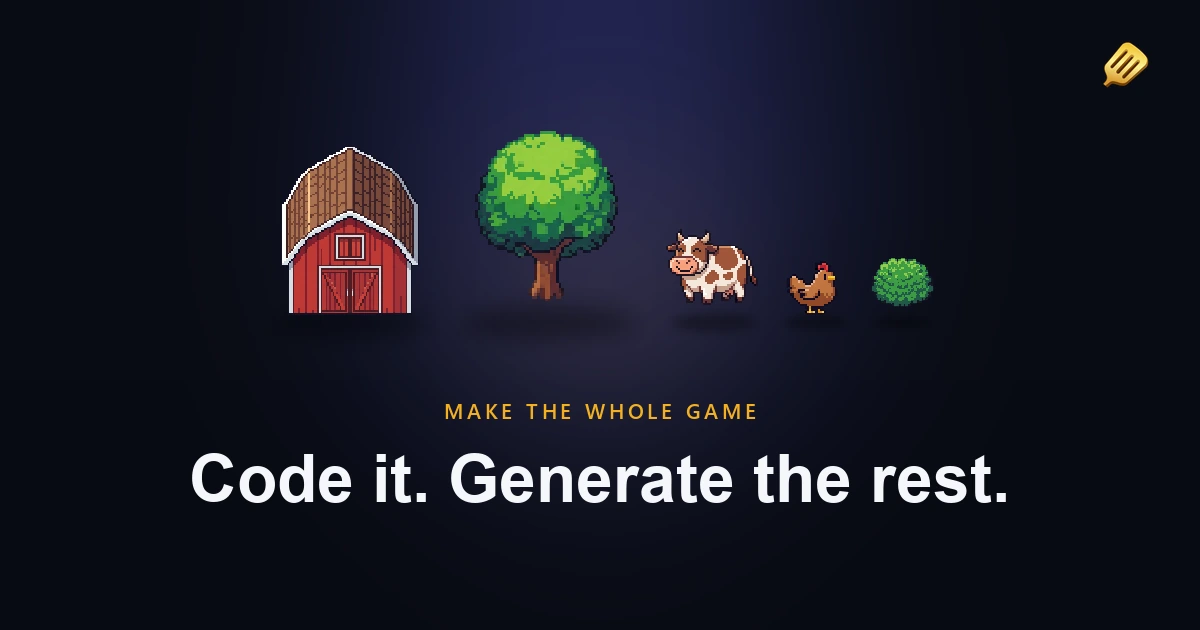
You can write a state machine, wire up save files, and ship a build that actually runs. But the screenshot still looks like programmer art, and you know the first thing anyone notices is the art, not the twelve systems underneath it. So the project that was fun to build stalls on the one thing you can't do, and the motivation leaks out of it.
I know that wall well, because I keep walking into it. I'm a software engineer, I've been making games for about fifteen years, and every pet project or game jam hits the same problem: I need assets, and I can't draw them.
This is the guide I wish I'd had. How to get game art when art is your blocker, written by someone who never learned to draw.
I built SpriteCook because I kept hitting this wall
Every time I start a personal project or enter a jam, I need a character, a tileset, some icons. My artist friends are busy with their own work, and commissioning a piece for a weekend jam doesn't make any sense. So I needed my own way out.
When the AI image models got good enough, I built a little command-line tool for myself. The first thing I did was bake in the theme and the style so I didn't have to retype the whole brief every time. Then I could just fire off what I needed: I need a wall, I need a floor, I need a chest, I need a skeleton enemy. That tool grew into SpriteCook.
So everything below is how I actually use it, not a sales pitch.
"Why don't you just learn to draw?"
I get this one a lot, usually from people who aren't going to play my game anyway. And sure, you could. But that argument applies to everything. Why don't you learn to program? Why don't you learn to 3D model? Each of those takes years, and most people don't have that time to spare, because they picked a different path.
I'm not saying don't learn pixel art. We always need pixel artists. Some of the best uses I've seen of SpriteCook are people who started here, generated some art, saw where it fell short, understood the actual problems, and that's what pulled them into a tool like Aseprite to draw their own. It's a great on-ramp.
The point is just that art shouldn't be the thing that blocks you from getting a game idea out. If you've got a couple of hours a week for a project, you shouldn't have to spend the first year of them learning to draw before you're allowed to start.
What you've probably already tried
If you've been stuck on this, you've likely tried a few of these and bounced off them:
- Free asset packs. Great for prototyping, but everyone uses the same ones, so your game ends up looking like everyone else's. They also never have the exact thing your game needs.
- Commissioning an artist. A good artist is worth it, but at scale it costs more than most hobby games will ever earn, and a cheap gig is a gamble on quality and turnaround.
- Generic AI tools like Midjourney or DALL-E. They make a nice single image, then fall apart for games. The character won't stay the same from one frame to the next, the output ignores pixel-art rules like a fixed grid and a clean palette, and what you get is a blurry picture shrunk down, not something that drops into your engine.
That last point is the one that matters most, and it's where a tool made for games is different.
How I actually make art for a game
I don't start with the art. I start with a concept and usually a rough prototype in the engine, grey boxes and placeholder shapes. Only once I know what the game is do I open SpriteCook and start looking for a style.
I'll generate a few options until something clicks. There's a creative randomness to it, the same prompt won't give you the identical result twice, so I treat the first pass as exploring. When I land on something I like, I lock it in and make the handful of assets I need most.
Then I go back to building. I add a feature, I need an asset for it. I add another feature, I need one for that. So it's a loop: a bit of game, a bit of art, back and forth, until the thing has everything it needs. You don't generate one giant asset pack up front and call it done. The art grows with the game.
You can generate sprites, whole sprite sheets, animations, and tilesets the same way.
Keeping everything consistent
Consistency is the part generic AI tools can't do, and it's the thing I cared about from day one. SpriteCook handles it with a few techniques that stack:
- A theme. You describe the kind of game and its setting once, a moss-covered ancient dungeon, say, with a particular tiling style. Then when you generate a wall, it already knows to match that world.
- A style. The exact look you want, whether that's 8-bit retro, a Castlevania feel, or 16-bit high-saturation. One description that covers everything.
- Reference images. Once you've made something you like, use it as a reference for the next thing. The models are good at this now, and you can feed in several references for a set.
- Presets. Lock the theme, style, references, and settings (like your pixel resolution) into a preset. Four months later when you need ten more inventory icons, you load the preset and they come out matching the ones you made back then, same model, same references, same look.
That last one is the quiet superpower. A real game gets built over months, in bursts, and the preset is what keeps the art coherent across all of it.
"But won't it look like AI slop?"
Honestly, modern models are better than people give them credit for. Hand one a simple prompt like "squirrel astronaut" and it reasons about what would actually make a good squirrel astronaut, and gets pretty creative on its own. When a detail matters to your game, you take control of it: the exact pose, the facial expression, the style.
But the real line between good and slop is the cheapest step there is. Look at it with your own two eyes. Is this what I expected? Does it look good? Does it fit the rest of the game? That check is the whole job, and it's also the part that's yours. An AI can draw the sprite, it cannot tell you whether your game is fun. That you have to feel for yourself, by playing it, over a lot of iterations. That judgment is the soul people worry AI removes. It doesn't. It's still on you.
"I have no eye for art"
A lot of programmers feel they wouldn't know a good style if it hit them. You can still do this.
First, you're not the only judge. Your friends and your playtesters will tell you how the game feels, trust them. Second, the AI can be its own critic. Modern models can look at an image and tell when something came out wrong, and they can scan a whole scene and flag what's inconsistent with the rest.
That's especially useful if you let an agent do the work. With SpriteCook connected to your coding agent over MCP, you can write a short prompt or a skill that tells it how to generate the art, what you're going for, how to check the result, and to regenerate when something's off. The taste gets encoded once, and the loop runs without you needing an eye for it. It's exactly what I'd do if I had no artistic sense at all.
Is it even OK to use AI art in a game?
This is the question people sit on before they commit, so here's my honest take. This is general information, not legal advice, check the current terms and policies for your situation.
- Will players hate it? Some are hostile to AI art right now, and you should know that going in. The way to not get burned is to not ship slop: use the consistency tools, do the eyeball check, and give the game an actual identity. Sentiment is also shifting as more studios use these tools quietly.
- Do you own it? The image providers (OpenAI, Google, xAI) grant you the rights to what you generate and let you use it commercially. SpriteCook keeps no license on your assets. The catch worth knowing is that in the US, purely AI-generated images can't be copyright-registered on their own, because there's no human author. If you meaningfully edit or arrange them, the parts you authored can be protected. The US Copyright Office's AI guidance is the source to read.
- Can you sell the game? Generally yes. Just don't generate something that looks like an existing protected character. A Pokemon-like or Disney-like asset is a problem no matter how it was made.
- Will Steam reject it? No. As of early 2026, Steam allows AI-generated art and asks you to disclose AI content that ships in the game, through a quick form. Behind-the-scenes tools like AI coding assistants are exempt. Epic has no disclosure requirement. Apple and Google focus their rules on data sharing and on apps whose job is generating content, not on tagging every art asset.
Who this is for, and who it isn't
I'd rather be straight about this. SpriteCook is for game jam participants, solo and indie developers, programmers who can't draw, and people who've never made a game and want AI for both the code and the art.
It is not the right call for a big studio shipping a multi-year flagship where final quality is everything. For that you still want artists drawing every pixel by hand, and the scrutiny around AI art makes it a hard sell anyway. You can absolutely use it to prototype there, but for the finished product, hire the artist.
What it costs
This was the whole reason I built it. Generating assets is cheap. Once you get the hang of it, a full set of around fifty inventory icons costs me roughly ten cents. A good artist would be fast too, but it's not realistic to pay them ten cents for that, the economics are just different.
The same shift happened with coding. AI made me something like ten times more productive there, and the art side is going the same way. At a tenfold difference in cost and time, for the kind of projects this is meant for, it's an easy call.
Where to start
If the art has been the thing blocking your game, start small. Generate one character in a style you like, then build outward from it.
- Generate a game sprite
- Make an animated sprite sheet
- Generate a tileset
- Connect SpriteCook to your coding agent so it makes the art while you write the game
FAQ
Can you make a game if you can't draw? Yes. The art used to be the wall for non-artists, and AI tools remove it. You bring the idea, the direction, and the judgment of what's fun. The tool draws the assets.
How do I keep my game's art consistent if I'm generating it? Lock a theme and a style, reuse your best results as references, and save it all as a preset so new assets match the old ones months later.
Will players know it's AI, and will they mind? Some will spot it and some won't like it. The fix is to avoid generic-looking output: give the game a real style, keep it consistent, and check every asset by eye before it ships.
Can I sell a game made with AI art? Generally yes, and the providers grant you commercial rights. Don't copy existing protected characters, and note that purely AI-generated images aren't copyright-registrable on their own in the US. This is general info, not legal advice.
Does Steam allow AI-generated art? Yes, with a disclosure for AI content that ships in the game. Behind-the-scenes AI tools like coding assistants are exempt.