Free to try, no credit card
AI Pixel Art Animation Generator
Turn a prompt or your own sprite into a looping pixel art animation. Walk, run, attack, or any custom motion, exported as a sprite sheet ready for Unity, Godot, GameMaker, and Phaser.


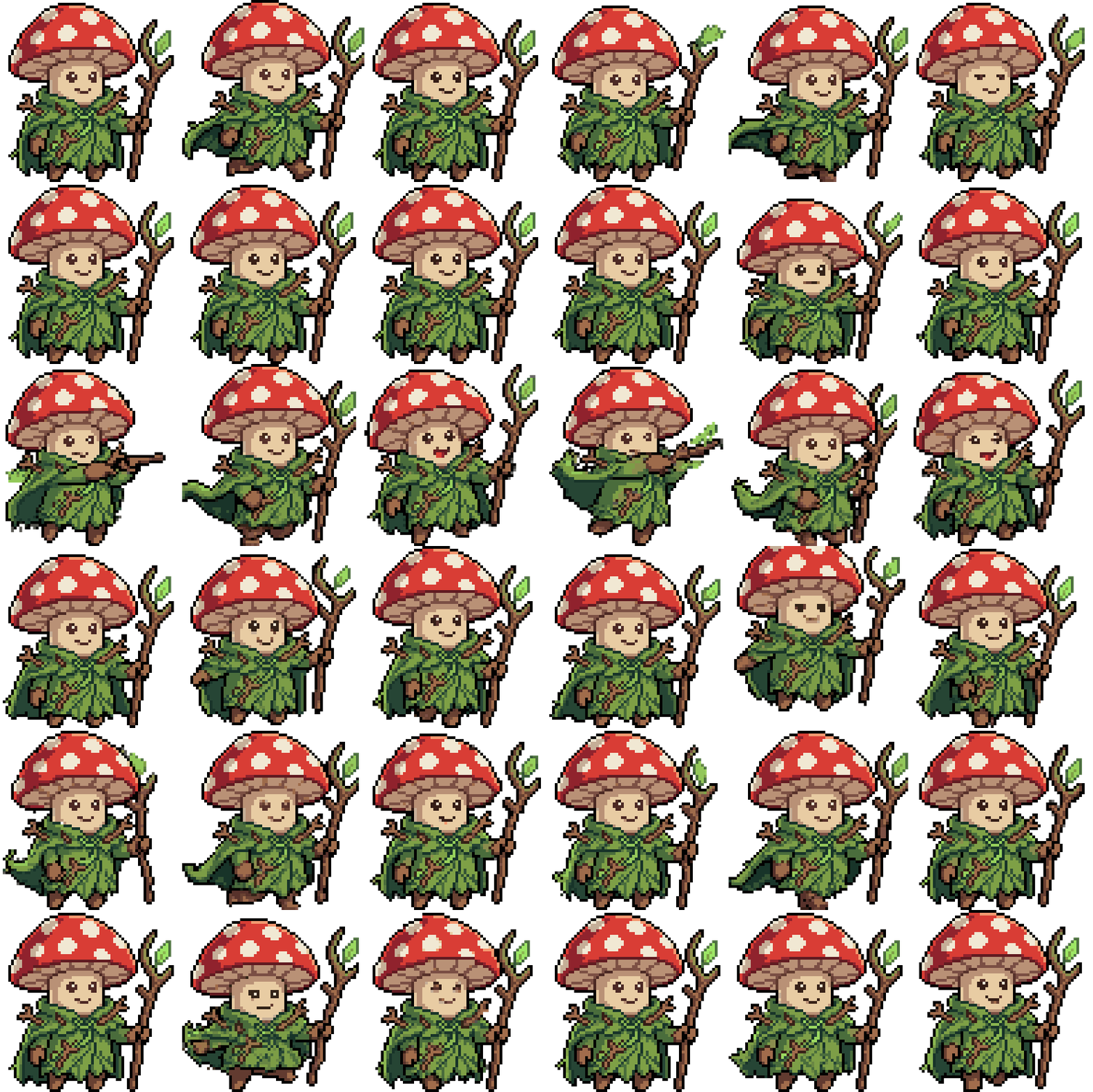
Animate pixel art without drawing every frame
Hand-animating a sprite means drawing contact poses, passing poses, and weight shift for every cycle, then doing it again for the next character. That frame-by-frame work is most of the job.
SpriteCook generates the cycle from the character itself, so the motion fits the body. You get a looping preview and a sliced sprite sheet, ready to drop into your engine.
How it works
Start from a prompt or your sprite
Describe a character and generate it, or upload a sprite you already have. The animation keeps its design and palette.
Pick the motion
Choose presets like idle, walk, run, attack, and jump, or describe any custom motion. The gait fits the body, so a dog waddles and a slime wobbles.
Preview and export
Watch the loop, then download the sprite sheet and frames. Unity and Godot get ready-made files; Phaser and GameMaker take the plain sheet.
Every animation a 2D game needs
The presets cover the movesets games run on, and you can describe anything past them.
What you get
- A looping WebP preview of each animation
- A sliced sprite sheet on an even frame grid, transparent background
- Individual frames as transparent PNGs
- Engine files for Unity and Godot, plain sheets for Phaser and GameMaker
- Consistent style across every animation and character
Animate any sprite you already have
Upload your own pixel art and bring it to life, the animation keeps your design. Or let your coding agent do it: the SpriteCook plugin for Claude Code, Codex, Cursor, and OpenCode generates animations straight into your project. See the agent setup.
Keep going
Walk cycle generator
The classic loop, from a prompt or your own sprite.
Game sprite generator
Make the character first, then animate it.
Sprite sheet generator
Full movesets sliced into even sheets.
Sprite sheet slicer
Split an animation sheet you already have into frames.
Animate existing sprites
How to upload your own art and bring it to life.
Example gallery
Finished animated sprites with their prompts.