Game art, generated
AI Sprite Sheet Generator
One prompt in, a whole character out. Idle, walk, run, and attack cycles as clean, evenly sliced sprite sheets.



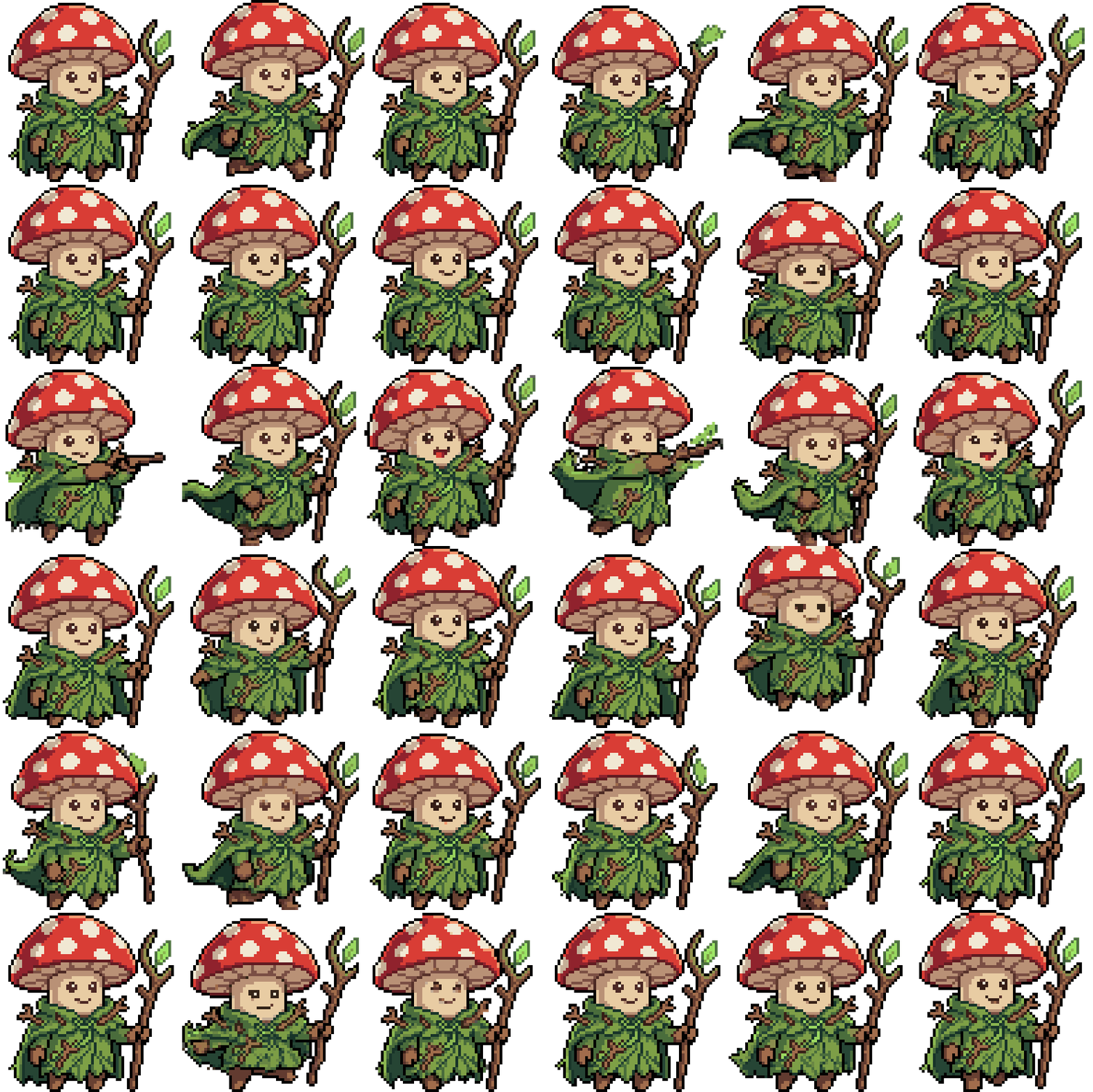
What makes a sprite sheet usable
A usable sprite sheet is more than frames in a row. Every frame needs the same proportions, the same palette, and the same anchor point, spaced on an even grid so your engine can slice it blind. Getting that right by hand is most of the work.
SpriteCook generates the animation and the sheet together. Frames come out aligned and evenly spaced, with the character's feet where you left them, so the sheet drops straight into an engine without cleanup.
How it works
Describe the character
One line is enough. "A paladin knight in white and gold armor". You get a still character to approve before any animation runs.
Pick the animation sets
Idle, walk, run, attack, jump, hurt, death, or any custom motion you can describe. Pick the presets your game needs, add your own, and SpriteCook animates them all from the same character.
Download sheets that slice themselves
Each animation exports as a PNG sheet on an even frame grid, plus individual frames and a looping preview. Unity and Godot exports come with the animations already wired up.
What you download
- PNG sprite sheet per animation, even frame grid, transparent background
- Individual frames and a looping WebP preview
- Unity: a .unitypackage with animation clips built from the sheet
- Godot: a character package with ready-to-run AnimatedSprite2D scenes
- Plain PNGs work in Phaser, GameMaker, or any other engine