The 15-piece autotile tileset, explained
Why autotile sheets have exactly 15 tiles, what each piece does, and how Godot, Unity, and Tiled pick the right one while you paint. With free templates.
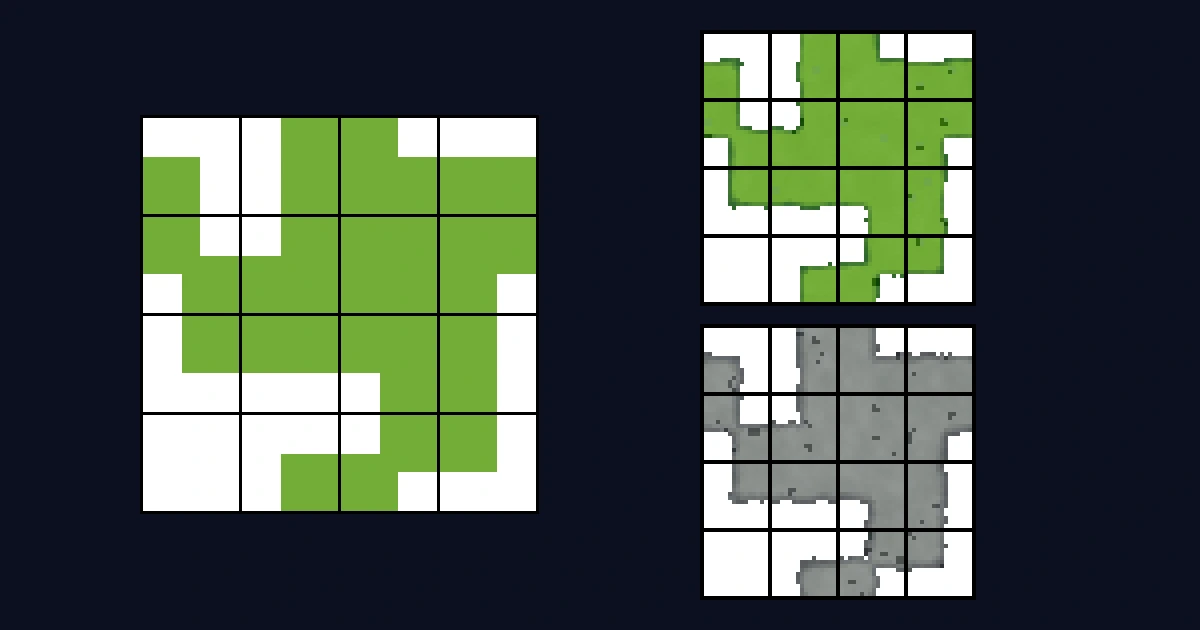
Every tileset tutorial throws the same sheet at you. A 4x4 grid, 15 odd-shaped pieces, one empty cell, no explanation. Here's what those pieces are, why there are exactly 15, and how your engine knows which one to place.
Why one tile isn't enough
Say you've drawn a nice grass tile. You paint a field with it and it repeats cleanly, because that's what it was made for. Then the field has to stop somewhere. A cliff, a pond, the edge of a path.
Now you need the grass to end. An edge piece where it stops on one side. A corner where it stops on two. An inner corner where the pond bites into the field diagonally. A lone island piece for that single patch of grass in the dirt. Drawing all of those by hand is fiddly, and forgetting one means a hard seam in your map.
Here's the same map painted both ways, with one of our cobblestone sets:
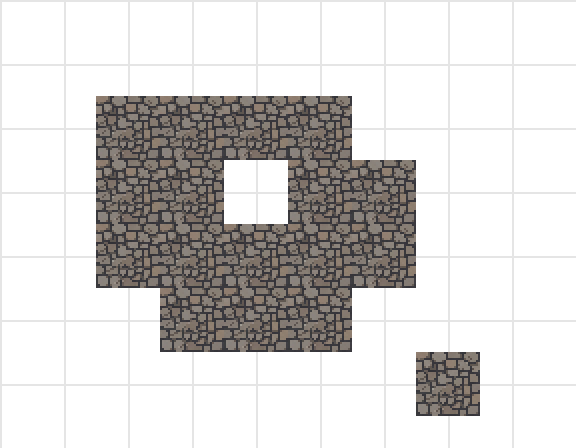
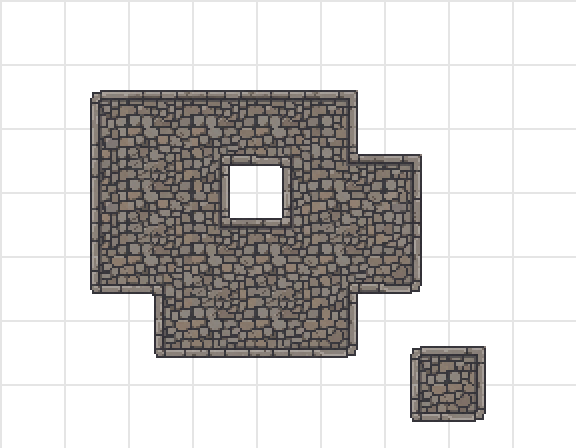
Same shape, same stone. The left version has nothing to say about where the floor ends, so it just ends. The right version puts a finished border on every outline, the hole, and the lonely island, because it has a piece for each of those situations.
The autotile sheet is all of those pieces, drawn once, in a known order.
Why exactly 15
The trick behind the 15-piece set is that every tile only cares about its four corners. Each corner is either inside the ground or outside it. Two options, four corners, so 2 x 2 x 2 x 2 = 16 possible tiles.
One of those 16 is "all four corners empty", which is no tile at all. That leaves 15 pieces to draw. Lay them out on a 4x4 sheet and you have the standard autotile set.
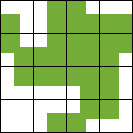
In this sheet, green is ground and white is empty. There's a tile where only one corner is green, a tile where the whole left half is green, a full center tile, and so on. Every combination appears exactly once, and the bottom-left cell stays blank on purpose. That's the no-ground tile.
How your engine picks a piece
You never place these pieces by hand. You paint cells, and the tilemap looks at each cell's corners to figure out which of the 15 tiles fits. Godot calls this terrain matching, Unity does it with rule tiles, Tiled calls it terrain sets. It's the same idea everywhere. The sheet, plus a little metadata about which corners of each tile are ground.

When you generate a tileset with SpriteCook, that metadata ships with the export. Godot gets a .tres with terrain configured for top-down and platformer autotiles, Unity gets a .unitypackage with Rule Tiles ready to paint, and Tiled gets a .tsx with the terrain defined. Isometric Godot exports are atlas-only. There's a walkthrough for each engine, from download to painted map: Godot, Unity, and Tiled.
What about 17-piece and 47-piece sets?
You'll run into bigger sheets in the wild.
The 47-piece "blob" set exists for tilemaps that check all eight neighbors of a cell instead of matching on corners. That stricter matching needs 47 distinct tiles, and nobody enjoys drawing 47 variations of dirt. SpriteCook's export can expand a 15-piece set into the full 47-piece layout automatically, so you only ever care about the 15. The reason 15 corner-matched pieces can do the work of 47 is the dual-grid rendering trick, and it gets its own deep dive.
The 17-piece sheet organizes roughly the same information another way, with a 3x3 island block in the middle plus a few helper pieces like strokes and inner corners. Some artists prefer drawing on that layout.
Start from a free template
If you want to draw a set yourself, skip the blank canvas. The Tileset Base Generator outputs a clean 15-piece or 17-piece base PNG at your tile size, with all the corner shapes already in place. It runs in your browser, it's open source, and it needs no account.

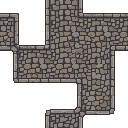
A base like that also works as an input for AI detailing. This cobblestone set started as the template above:
Where to next
- Generate a full tileset from one prompt, every piece included
- Make a top-down tileset that actually tiles, the full workflow with the in-app tester
- Engine walkthroughs for Godot, Unity, and Tiled
- The tileset docs, every setting in one place