Tilesets
Generate a complete autotile set from one prompt, test it on a map, and export it with your engine's terrain already wired up.
Tileset generation is available on every plan, including Free. Generations use credits from your account balance.
How autotiles work
Painting a map means drawing the same ground a bunch of ways: straight edges, outer corners, inner corners, single-tile nubs. Miss one and you get a hard seam where two tiles meet. An autotile set covers all of them. The standard layout is the 15-piece set, a 4x4 sheet where the 15 tiles cover every way the ground can meet its edge. Your engine picks the right piece while you paint, so floors flow around walls and holes without you patching seams.
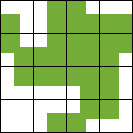
Curious why 15 pieces is all it takes? The 15-piece autotile, explained. Want full control over the tile shapes themselves? Draw or tweak your own starting point with the tileset base generator.
Pick your layout
Open /create in tileset mode. The link sets the generation type for you. Three dropdowns in the sidebar set the layout.
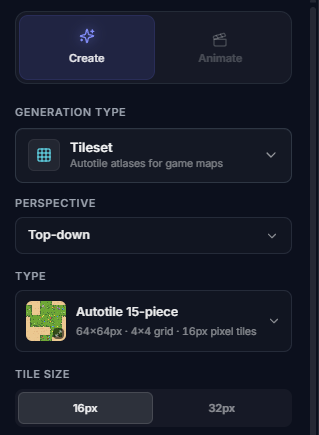
Perspective
Top-down for ground you walk on, Platformer for side-on walls and floors, Isometric for 2:1 diamond tiles.
Type
Autotile 15-piece is the everyday set. The dropdown also holds the 17-piece base and the perspective-specific sets.
Tile size
16px or 32px for pixel art, up to 64px for platformer. Detailed top-down runs 64px to 256px.
Platformer and isometric sets are pixel art only for now. Detailed style is available for top-down.
Prompt the surface
Describe the material and hit generate. "Mossy cobblestone dungeon floor", "cozy grass field", "wooden plank floor". You get the whole atlas in that style, every edge and corner piece included.
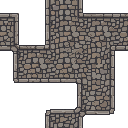
"Cobblestone dungeon floor"
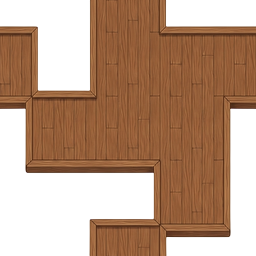
"Wooden plank floor"
Test it on a map
Open the tileset in the fullscreen viewer and hit Test tileset, then paint a quick map. It autotiles as you draw, so you can watch walls, gaps, and single-tile islands resolve, and catch any piece that doesn't line up before you open your engine.

Export for your engine
Hit Export when it looks right. You get the sheet as a single PNG at 1x to 4x scale, with optional tile spacing and outlines, and you can expand it to the full 47-piece blob format. Set Engine file to also download a definition that imports with the right tile size and slicing:
- • Godot: a .tres TileSet with terrain set up for top-down 15/17-piece and platformer 16-set exports; isometric exports are atlas-only
- • Tiled: a .tsx tileset ready to add to your map
- • Unity: a .unitypackage with Rule Tiles ready to paint
Each engine has a walkthrough from download to a painted map:
Beyond top-down
The platformer set gives you the grass-topped wall and floor pieces a side-on level needs, and the isometric sets give you 2:1 diamond tiles at 32px or 64px for angled scenes.
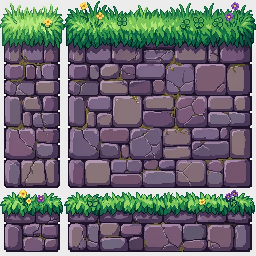
Platformer 16-set layout
The platformer atlas is a 4x4 Godot Match Sides terrain. Coordinates are zero-based. T, R, B, and L mean that a tile connects to terrain on its top, right, bottom, or left side.
| Row / column | 0 (none) | 1 (R) | 2 (L + R) | 3 (L) |
|---|---|---|---|---|
| 0 (B) | B | R + B | L + R + B | L + B |
| 1 (T + B) | T + B | T + R + B | T + L + R + B | T + L + B |
| 2 (T) | T | T + R | T + L + R | T + L |
| 3 (none) | none | R | L + R | L |
Rows 0 through 2 contain the top, middle, and bottom pillar/block pieces. Row 3 contains the one-tile-high floating-platform pieces: an isolated block, then the left, middle, and right platform strips. Godot platformer exports include this Match Sides terrain setup. Isometric `.tres` exports register atlas tiles only, so place them from the Tiles tab or configure terrain manually.