Comparison · 2026
SpriteCookvsAutoSprite
Both turn prompts and characters into game-ready sprites with an agent workflow. SpriteCook is the broader 2D game-art kit, with true pixel art, tilesets, textures, and asset packs, plus a clear commercial license. AutoSprite focuses on turning one character into animations.
SpriteCook
The full 2D game-art kit
- Pixel and detailed art, characters, items, UI
- Tilesets, textures, sprite sheets, asset packs
- Real pixel-art animation
- Commercial on every tier, including free
Best for: Devs who need a full 2D art pipeline
AutoSprite
Single-character animation tool
- Upload one sprite, get a moveset
- Transparent frames, broad engine export
- API and MCP
- New and character-focused
Best for: Animating a single character fast
Side by side
| Feature | SpriteCook | AutoSprite |
|---|---|---|
| Focus | Full 2D game-art kit | Character animation only |
| Pixel art | Dedicated true-grid pixel mode | One of many styles, pixel-ish |
| Character animation | Real pixel-art animation | Yes, single image to moveset |
| Sprite sheets | Yes, pre-sliced | Yes, PNG + JSON atlas |
| Tilesets | Yes | No |
| Seamless textures | Yes | No |
| Asset packs | Yes | No |
| Character creator | Yes | Upload or generate one character |
| Detailed / HD 2D | Yes | Stylized AI art |
| Transparent PNG | Yes | Yes, per frame |
| Engine-ready export | Unity, Godot, Phaser, GameMaker | Unity, Godot, GameMaker, Phaser, Unreal |
| Saved asset library | Yes, private | Yes |
| API / agent access | API and MCP | API and MCP |
| Maturity | Established workspace | New, launched late 2025 |
| Free tier | 40 credits every 30 days | 15 / month + 3 / day |
| Commercial use | Yes, clearly, including free | Yours, but terms hedge on shipping |
| Paid from | $8 / month | $12 / month |
Pricing and features as of June 2026. AutoSprite details from autosprite.io.
What “game-ready” means
A checkbox can't show the difference that actually matters: usable output. SpriteCook gives you transparent PNGs, a consistent palette and grid, sprite sheets already sliced into frames, and animations that loop, with no cutting up a big image or cleaning edges.

Animated sprite sheet
Frames sliced and looping
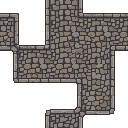
Tileset
Tiles that line up

Animate anything
Effects and props, not just characters
The whole 2D kit, not just character animation
SpriteCook makes tilesets, seamless textures, asset packs, UI, items, and detailed art alongside characters. AutoSprite is built to turn a single character into a moveset, with no tilesets or environment art, so a full game still needs another tool for the world around your characters.
Real pixel art, not just a pixel style
SpriteCook has a dedicated pixel mode that snaps output to a true grid with palette control. AutoSprite lists pixel as one of several art styles, so the result has a pixel look without the clean grid and palette that game pixel art needs.
A clear commercial license
SpriteCook output is yours to ship on every plan, including free. AutoSprite's terms say outputs are yours to the extent your inputs allow, and stop short of clearly authorizing you to sell or ship games made with them, so it is worth reading before you build on it.
Where AutoSprite is strong
AutoSprite does one job well: bring a single character and get an animated, engine-ready sprite sheet, with broad export across Unity, Godot, GameMaker, Phaser, and Unreal, plus an MCP for coding agents. If a single-character animation pipeline is all you need, it handles that cleanly.
Common questions
Is SpriteCook a good AutoSprite alternative?
Yes, especially if you need more than character animation. SpriteCook covers the full 2D game-art kit: pixel and detailed art, tilesets, seamless textures, asset packs, and characters. AutoSprite focuses on turning one character into an animated sprite sheet.
How are the two different?
AutoSprite takes a single character and gives it a moveset, with broad engine export and an MCP. SpriteCook does that kind of work too and adds tilesets, textures, asset packs, true pixel art, and detailed art, in one saved workspace.
Does AutoSprite make tilesets?
No. AutoSprite is built for character animation and does not make tilesets or environment art. SpriteCook generates tilesets and seamless textures alongside characters.
Can I ship games made with the art?
With SpriteCook, yes, on every plan including free, and the output is yours. AutoSprite says outputs are yours to the extent your inputs allow, and stops short of clearly authorizing shipping, so read its terms before you rely on it.
Do both work with coding agents?
Yes. Both offer an API and an MCP for tools like Claude Code and Cursor. SpriteCook also publishes prebuilt agent skills.
Try SpriteCook free
Generate your first sprites in under a minute. No credit card, free output is commercial, and everything you make stays in your account.
Start creating free