Comparison · 2026
SpriteCookvsLayer AI
SpriteCook is a focused, simple tool for making 2D sprites, pixel art, and tilesets, with an agent workflow built in. Layer is a broad creative platform built for studios, with style training, 3D and video, and team collaboration. Here is how they line up for 2D game art.
SpriteCook
Focused 2D sprite tool for indies
- Pixel and detailed 2D, sprite sheets
- Tilesets, seamless textures, animation
- Generate from your editor via MCP
- Simple, no platform to set up
Best for: Solo devs and small teams
Layer AI
Studio creative platform
- Style training on your own art
- 2D, 3D, video, and audio
- Team collaboration, pro-app integrations
- Built for studios and teams
Best for: Studios scaling production
Side by side
| Feature | SpriteCook | Layer AI |
|---|---|---|
| Built for | Solo devs and small teams | Studios and creative teams |
| Simple to start | One focused tool | Broad platform to set up |
| Pixel art | Yes | Yes |
| Detailed / HD 2D | Yes | Yes |
| Sprite sheets | Yes | Yes |
| Palette and size control | Yes | Yes |
| Tilesets | Yes | Not a focus |
| Seamless textures | Yes | Not a focus |
| Sprite animation | Yes | Not highlighted |
| Style consistency | Saved theme, no training | Custom style training |
| 3D, video, audio | 2D focus | Yes |
| Engine-ready export | Unity, Godot, Phaser, GameMaker | PNG / WebP |
| Saved asset library | Yes | Yes |
| Team collaboration | Account-based | Yes, pooled credits |
| API | Yes | Yes |
| Agent / MCP and skills | Yes | API |
| Free tier | 40 credits every 30 days | 600 generations / month |
| Commercial use | Yes, including free | Per their terms |
| Paid from | $8 / month | $10 / month |
Pricing and features as of June 2026. Layer AI details from layer.ai.
What “game-ready” means
A checkbox can't show the difference that actually matters: usable output. SpriteCook gives you transparent PNGs, a consistent palette and grid, sprite sheets already sliced into frames, and animations that loop, with no cutting up a big image or cleaning edges.

Animated sprite sheet
Frames sliced and looping
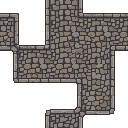
Tileset
Tiles that line up

Animate anything
Effects and props, not just characters
Made for indies, not just studios
Layer is built for studios and creative teams. SpriteCook is for solo devs and small teams who want to make game art without onboarding onto a platform. Start free, describe what you want, and get a usable sprite in seconds.
The 2D game art kit, built in
A dedicated pixel mode, sprite sheets, tilesets, seamless textures, and sprite animation, the parts a 2D game actually needs, all in one focused tool. Layer spreads across 2D, 3D, video, and audio for broader production.
Generate from your code editor
SpriteCook ships an MCP and prebuilt agent skills, so you can generate sprites from Claude Code, Cursor, VS Code, or Codex while you build. Layer offers an API for pipeline integration.
Generate art from your code editor
SpriteCook connects to Cursor, Claude Code, VS Code, and Codex over an MCP, so your AI agent can generate and edit sprites while it builds your game. Layer offers an API but no MCP, so this in-editor agent workflow is not available there.
Where Layer fits
Layer is a broad creative platform for studios. If you have a team, want to train a custom model on your existing art, and need 3D, video, and audio alongside 2D, with pro-app integrations and pooled team credits, it is built for that scale.
Common questions
Is SpriteCook a good Layer AI alternative?
Yes, especially for solo devs and small teams who want a focused, simple tool for 2D sprites, pixel art, and tilesets, with an agent workflow. Layer is a broader platform built for studios and creative teams.
What does Layer do that SpriteCook does not?
Layer trains custom models on your own art, generates 3D, video, and audio, and adds team collaboration with pro-app integrations. SpriteCook focuses on 2D game art and adds an MCP for coding agents.
Which is simpler for a solo developer?
SpriteCook. It is one focused tool with no platform to onboard onto and no models to train. Layer is built for studios and teams scaling production.
Can I generate art from my code editor?
With SpriteCook, yes, through an MCP and prebuilt agent skills for Claude Code, Cursor, VS Code, and Codex. Layer offers an API.
Do both let me use the art commercially?
SpriteCook, yes, including on the free plan. For Layer, check the terms on your plan.
Try SpriteCook free
Make pixel and 2D game art in under a minute. No credit card, and everything you make stays in your account.
Start creating free