Comparison · 2026
SpriteCookvsPixAI
SpriteCook is purpose-built for 2D game art, with pixel and detailed modes, sprite sheets, tilesets, and engine-ready export. PixAI is an anime art generator with a large community model library. Here is how they line up for game dev.
SpriteCook
Purpose-built for game art
- Pixel and detailed 2D game art
- Sprite sheets, tilesets, animation
- Transparent PNGs, engine-ready
- Saved workspace, recurring free tier
Best for: 2D game devs and pixel artists
PixAI
Anime art generator
- Anime illustrations and character art
- Large community model / LoRA library
- ControlNet, inpainting, short video
- Not built for game-ready sprites
Best for: Anime art and character illustration
Side by side
| Feature | SpriteCook | PixAI |
|---|---|---|
| Built for | 2D game art | Anime illustration |
| Pixel art | Dedicated pixel mode | Via models / prompts |
| Detailed / HD 2D | Yes | Yes, anime focus |
| Sprite sheets | Yes, game-ready | No |
| Tilesets | Yes | No |
| Seamless textures | Yes | No |
| Animation | Sprite animation | Anime video clips |
| Transparent, game-ready output | Yes, transparent PNG | Illustrations |
| Character creator | Yes | Via models / LoRAs |
| Consistent style | Saved theme | Community LoRAs |
| Engine-ready export | Unity, Godot, Phaser, GameMaker | No |
| Saved asset library | Yes, in your account | Yes |
| API | Yes | Yes |
| Agent / MCP and skills | Yes | API |
| Made for game dev | Built by game developers | Anime art community |
| Free tier | 40 credits every 30 days | Free credits, with limits |
| Commercial use | Yes, including free | Yes |
| Paid from | $8 / month | $9.99 / month |
Pricing and features as of June 2026. PixAI details from pixai.art.
What “game-ready” means
A checkbox can't show the difference that actually matters: usable output. SpriteCook gives you transparent PNGs, a consistent palette and grid, sprite sheets already sliced into frames, and animations that loop, with no cutting up a big image or cleaning edges.

Animated sprite sheet
Frames sliced and looping
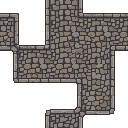
Tileset
Tiles that line up

Animate anything
Effects and props, not just characters
Game-ready output, not just artwork
SpriteCook makes assets that drop straight into a game: transparent PNGs, sprite sheets, tilesets, and fixed export sizes that import cleanly into Unity, Godot, Phaser, and GameMaker. PixAI produces anime illustrations, which you would need to cut up and adapt before they work as game assets.
The whole 2D game art kit in one place
Pixel and detailed art, characters, items, tilesets, seamless textures, and animations, all saved to your account and yours to use commercially. The free tier renews with 40 credits every 30 days.
Simple, no model hunting
Set a theme once and generate. There is no model marketplace to browse, no LoRAs to stack, and no ControlNet to wire up. Describe what you want and get a consistent, game-ready result, with an API and an MCP for coding agents when you want them.
Generate art from your code editor
SpriteCook connects to Cursor, Claude Code, VS Code, and Codex over an MCP, so your AI agent can generate and edit sprites while it builds your game. PixAI offers an API but no MCP for this kind of in-editor workflow.
Where PixAI fits
PixAI is an anime art generator with a large community model library, ControlNet and inpainting controls, and short video generation. If you want anime illustrations, character art, or key art rather than game-ready sprites and tilesets, that is its strength.
Common questions
Is SpriteCook a good PixAI alternative for game art?
Yes. SpriteCook is purpose-built for 2D game art, with a dedicated pixel mode, sprite sheets, tilesets, and engine-ready export. PixAI is an anime art generator, better suited to illustrations and character art than game-ready sprites.
Does PixAI make sprite sheets or tilesets?
No. PixAI generates anime illustrations through models and LoRAs; it has no dedicated sprite sheet, tileset, or game-engine export. SpriteCook has those built in.
Does SpriteCook do detailed or anime-style art?
SpriteCook makes both pixel art and detailed, higher-resolution 2D art. PixAI specializes in anime illustration specifically, with a large community model library.
Can I use the art commercially?
Yes on both, under each tool’s terms. Everything you generate in SpriteCook is yours to use in commercial games.
Which is easier for making game art?
SpriteCook is one flow with game-ready output and no models or LoRAs to pick. With PixAI you choose community models and tune settings, then adapt the illustration for your game.
Try SpriteCook free
Make game-ready pixel and 2D art in under a minute. No credit card, and everything you make stays in your account.
Start creating free