Comparison · 2026
SpriteCookvsRetro Diffusion
Both make game-ready pixel art with AI. SpriteCook also does detailed art, gives you full palette and size control, and keeps everything in one simple workspace. Retro Diffusion is a pixel-art specialist with dedicated models and an Aseprite extension.
SpriteCook
Pixel and detailed art, made simple
- Pixel and detailed / HD art
- Full palette and size controls
- One simple flow, no editor to learn
- Saved workspace, recurring free tier
Best for: Anyone making 2D game art, fast
Retro Diffusion
Dedicated pixel-art models
- Purpose-trained pixel-art models
- Aseprite extension
- Pay-as-you-go or one-time price
- Pixel art only
Best for: Pixel-art specialists in Aseprite
Side by side
| Feature | SpriteCook | Retro Diffusion |
|---|---|---|
| Art styles | Pixel and detailed / HD | Pixel art only |
| Dedicated pixel models | Yes | Yes |
| Color palette control | Yes, full palette | Yes |
| Output size options | Many sizes + tileset grid | Fixed sizes (32, 64) |
| Sprite sheets | Yes | Yes |
| Animation | Yes | Yes (RD Animation) |
| Tilesets | Yes | Yes |
| Seamless textures | Yes | Yes (RD Tile) |
| Character creator | Yes | Via prompts |
| Simple to start | One guided flow | Models and settings to tune |
| No editor to learn | Yes, web app | Web or Aseprite extension |
| Aseprite extension | No | Yes |
| Saved asset library | Yes, in your account | Account-based |
| API | Yes | Yes |
| Agent / MCP and skills | Yes | API |
| Engine-ready export | Unity, Godot, Phaser, GameMaker | PNG, any engine |
| Free tier | 40 credits every 30 days | One-time starting balance |
| Commercial use | Yes | Yes |
| Pricing | Free, paid from $8 / mo | Pay-as-you-go; Aseprite $20–$65 |
Pricing and features as of June 2026. Retro Diffusion details from retrodiffusion.ai.
What “game-ready” means
A checkbox can't show the difference that actually matters: usable output. SpriteCook gives you transparent PNGs, a consistent palette and grid, sprite sheets already sliced into frames, and animations that loop, with no cutting up a big image or cleaning edges.

Animated sprite sheet
Frames sliced and looping
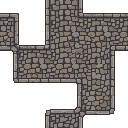
Tileset
Tiles that line up

Animate anything
Effects and props, not just characters
Pixel art and detailed art in one tool
SpriteCook makes crisp pixel art and detailed, higher-resolution 2D art from the same prompt box. Retro Diffusion focuses on pixel art. If your game mixes a pixel world with detailed key art, store images, or marketing shots, you can make all of it in one place.
A full production workspace
Characters, items, tilesets, UI, and animations are all saved to your account, organized, and ready to reopen or reuse. The free tier renews with 40 credits every 30 days, and everything you make is yours to use commercially.
Simple enough for anyone
SpriteCook is one guided flow. No models to compare, no settings to wire up, and no editor to install. You describe what you want and get a result, whether or not you have used a pixel-art tool before. When you do want more control, the palette, sizes, an API, and an MCP for coding agents are all there.
Where Retro Diffusion fits
Retro Diffusion ships purpose-trained pixel-art models for sprites, tiles, and animation, with pay-as-you-go pricing and a one-time Aseprite extension. It is aimed at pixel-art specialists who are comfortable picking models and tuning settings to dial in a specific look.
Common questions
Is SpriteCook a good Retro Diffusion alternative?
Yes, especially if you want both pixel and detailed art, a workspace that saves everything to your account, and a recurring free tier. Retro Diffusion is a strong pick for pixel-art purists who want dedicated models and an Aseprite extension.
Does Retro Diffusion do detailed (non-pixel) art?
No. Retro Diffusion focuses on pixel art with purpose-trained models. SpriteCook makes both pixel art and detailed, higher-resolution 2D art from the same prompt box.
How do the free tiers compare?
SpriteCook gives 40 free credits every 30 days, with commercial use included. Retro Diffusion gives a one-time starting balance, then runs on pay-as-you-go credits (or a one-time Aseprite extension purchase).
Can I use the art commercially?
Yes on both. Everything you generate in either tool is yours to use in commercial games.
Which is easier to start with?
SpriteCook is a web app with no editor to install or learn. Retro Diffusion’s deepest features live in its Aseprite extension, so it suits people who already work in Aseprite.
Try SpriteCook free
Make pixel and detailed game art in under a minute. No credit card, and everything you make stays in your account.
Start creating free