 +
+Integration
SpriteCook+Unity
Export your characters and tilesets straight into Unity. SpriteCook hands you a .unitypackage with animation clips and autotile rule tiles, plus a pixel-perfect import preset, so the setup is done for you.
Animated characters as a .unitypackage
Export a character as a .unitypackage with animation clips already built from your sprite sheet. Import it and idle, walk, run, jump, and attack are ready to play on an Animator.
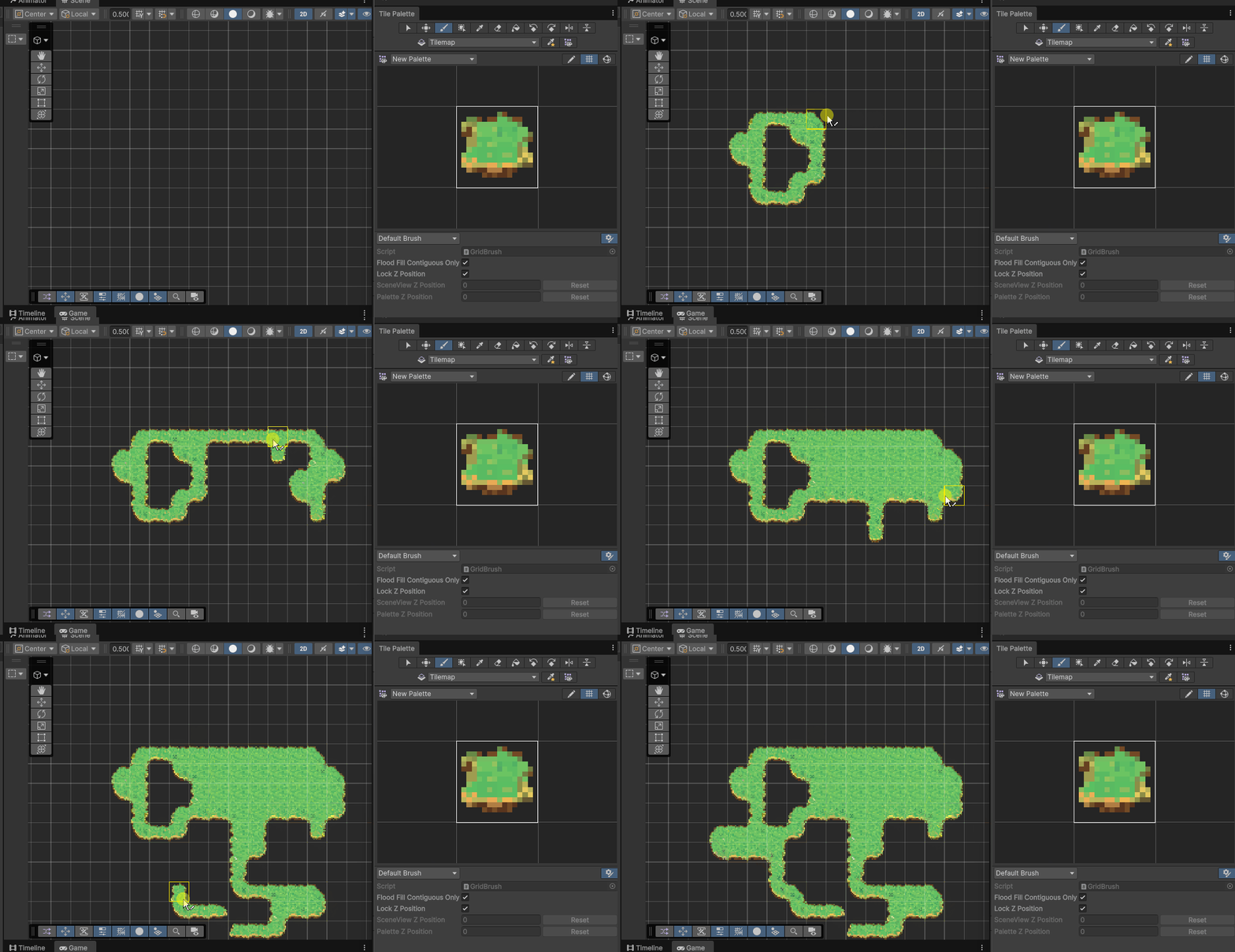
Autotile tilesets with Rule Tiles
Export a tileset as a .unitypackage with Rule Tiles set up. Drag them into a Tile Palette and paint, and transitions between tiles resolve on their own.
Pixel-perfect import preset
Apply our Unity import preset for Point filtering, no compression, and no mipmaps. A built-in Pixels Per Unit calculator helps you match sprites to world scale so everything renders crisp.
Guides and docs
Make a Unity autotile tileset
Export rule tiles, drop them in a Tile Palette, and paint with auto-transitions.
Import sprites into Unity
Importer settings, slicing, the PPU calculator, and atlases, with a preset to download.
From prompt to animated character
Build a full animation set, then export it straight to your engine.
Slice sprite sheets and animations
How sheets are packed, and how to split them into separate assets.
Common questions
Does SpriteCook export to Unity?
Yes. You can export a character as a .unitypackage with animation clips built from your sprite sheet, and export tilesets as a .unitypackage with autotile Rule Tiles set up.
Do I have to configure import settings myself?
No. SpriteCook provides a pixel-perfect Unity import preset (Point filter, no compression, no mipmaps). Apply it to your sprites and they render crisp. The character and tileset packages also come configured.
Are the tilesets autotile?
Yes. Tileset exports come as a .unitypackage with Rule Tiles configured. Drag them into a Tile Palette and paint, and transitions between tiles resolve automatically.
How do I match sprites to world scale?
Use the Pixels Per Unit calculator on the Unity sprites guide. It works out the PPU from your sprite size and target world units so tiles and characters sit at the right scale.
Make art for your Unity game
Generate characters and tilesets in under a minute, then export them straight into Unity.
Start creating free