Animate a Sprite
Turn any pixel art sprite into a custom animation.
/animate takes a single sprite and a motion description, and gives you back a spritesheet. It works with characters, objects, and environment pieces.
Requirements
- • Source sprite must be pixel art
- • 256×256 px or smaller
- • Aspect ratio between 128×256 and 256×128
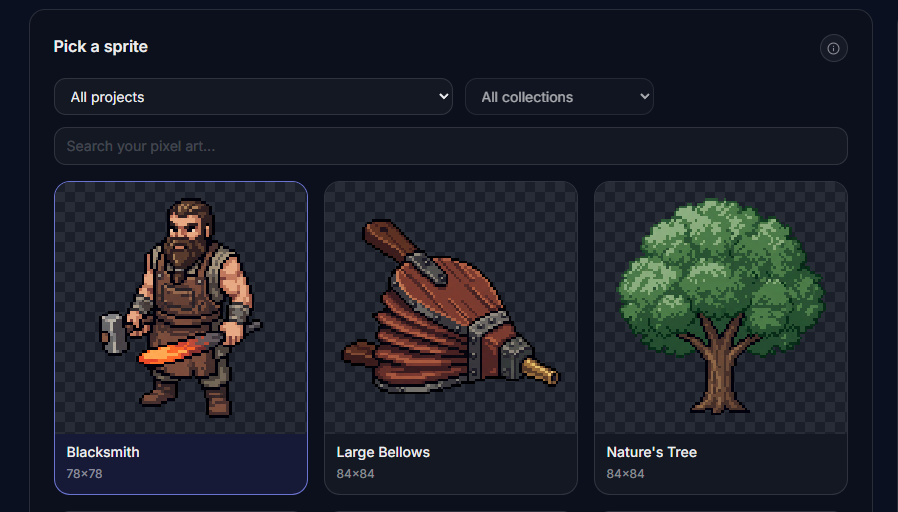
Pick the sprite
Choose the sprite you want to animate from your existing assets. Only sprites that fit the size constraints will show up here.
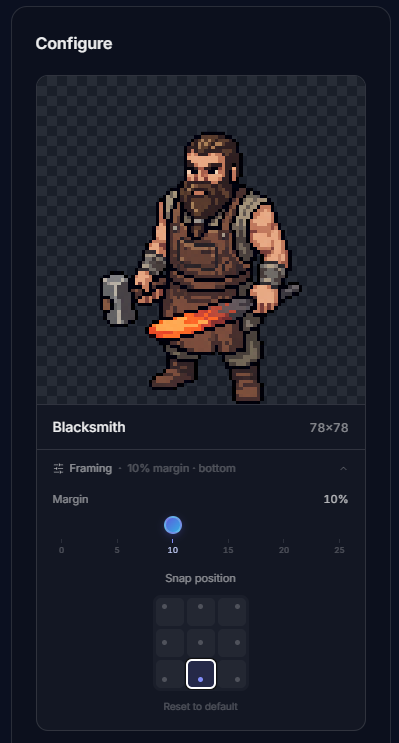
Reframe if needed
Add margin around the sprite and snap it to a position. This gives the motion room to breathe. Useful for windups, tall props, or floating objects.
Describe the motion
Use a preset (Idle, Jump, Walk, Run, Attack) or write your own prompt. Custom prompts are where /animate really shines. You can ask for exactly the motion you need.
Prompts that work well:
- "tree sways gently in the wind"
- "furnace flame flickers and breathes"
- "chest opens slowly"
- "mage raises staff and releases a burst"
Enhance prompt is on by default. It expands short prompts into something more detailed for you. Start short and let it do the work.
You can also set the frame count and background removal mode before running the job.
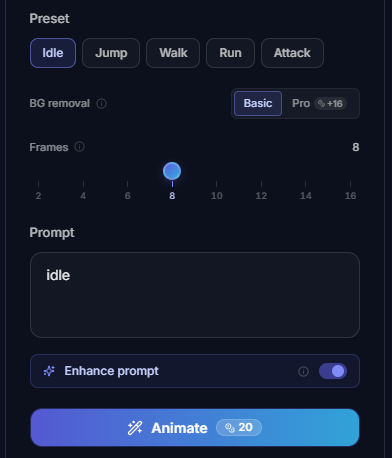
Background removal
Basic
Standard cleanup pipeline. Works for most cases.
Pro
Stronger AI removal for cleaner edges. Better for complex shapes.
Examples

A few idle animations made with /animate:



/animate vs /characters
Use /animate when:
- • You need one specific motion
- • The thing isn't a character (props, environment, UI)
- • You want full control over the prompt
Use /characters when:
- • You want a full animation set
- • Starting from a text prompt
- • Building a character from scratch
Make sure the base sprite already matches the perspective you want. Front-facing? Animate it front-facing. Top-down? Keep it top-down.