Comparison · 2026
SpriteCookvsSprite AI
Both make pixel art sprites and animations from a prompt, and both have an MCP server for coding agents. Sprite AI sticks to pixel sprites and gives you a pixel editor, an Aseprite extension and a big set of free browser tools. SpriteCook also makes detailed art, autotile tilesets and UI kits, and exports straight into Godot and Unity.
SpriteCook
Sprites, tilesets and UI for the whole game
- Pixel art and detailed art
- Autotile tilesets for Godot, Unity and Tiled
- Characters with animations, exported to your engine
- Commercial use on every plan, free included
Best for: Making most of a 2D game’s art in one place
Sprite AI
Pixel sprites with an editor next to them
- Characters and props from a prompt
- Animations from 4 to 16 frames
- Pixel editor and Aseprite extension
- Commercial license on paid plans
Best for: Single sprites you plan to touch up by hand
Side by side
| Feature | SpriteCook | Sprite AI |
|---|---|---|
| Art styles | Pixel art and detailed / HD | Pixel art only |
| Characters and props | Yes | Yes |
| Animation | Yes, from any asset | Yes, 4 to 16 frames |
| Autotile tilesets | Yes, 15-piece dual grid | Single tiles, tile mode "soon" |
| Game UI | UI kits from one screen concept | Individual UI sprites |
| Engine export | Godot and Unity packages, Tiled | PNG, sheet + JSON, GIF, SVG |
| Editing by hand | Frame editor in the app | Pixel editor + Aseprite extension |
| Free browser tools | Sheet slicer, grid detector, tileset base | 30+ (palette, outline, cutter...) |
| API / agent access | API, MCP and agent skills | API and MCP |
| Free tier | 40 credits every 30 days | 15 tokens, +10 for joining Discord |
| Commercial use | Every plan, free included | Paid plans |
| Paid from | $8 / month | $8 / month (100 tokens) |
Pricing and features as of October 2026. Sprite AI details from sprite-ai.art and its terms of service.
What “game-ready” means
A checkbox can't show the difference that actually matters: usable output. SpriteCook gives you transparent PNGs, a consistent palette and grid, sprite sheets already sliced into frames, and animations that loop, with no cutting up a big image or cleaning edges.

Animated sprite sheet
Frames sliced and looping
Tileset
Tiles that line up

Animate anything
Effects and props, not just characters
Tilesets with edges and corners
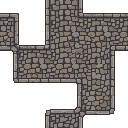
Where grass meets dirt, a tilemap needs a piece for every edge and corner, and they all have to line up. SpriteCook generates the full 15-piece set and exports it as a Godot TileSet, Unity Rule Tiles or a Tiled tileset, so you paint terrain and the right pieces drop in. Sprite AI makes single tiles right now and lists its tile mode as coming soon, so the transitions are yours to draw.
Pixel art and detailed art in one library
Sprite AI only does pixel art. SpriteCook has a pixel mode that snaps output to a real grid with a limited palette, and a detailed mode for HD 2D art like card illustrations, portraits and painted backgrounds. Both end up in the same account, next to your tilesets and UI.
Free plan art you can ship
Anything you make on SpriteCook's free plan can go in a game you sell. Sprite AI's terms say you own what you generate and give a commercial license on paid plans, but they don't say what applies to free-tier sprites. If you plan to ship those, ask them first.
Where Sprite AI is strong
If you like finishing sprites by hand, Sprite AI is built around that. Its browser pixel editor costs no tokens, the Aseprite extension puts generate, animate and rotate right in Aseprite's menu, and it can turn a sprite into 8 directions or make a normal map. It also has 30+ free browser tools, from a sprite sheet cutter to a palette extractor and an outline generator, and a single sprite costs 1 token.
Common questions
Is SpriteCook a good Sprite AI alternative?
Yes, if your game also needs tilesets, detailed art or UI. SpriteCook makes the same kind of characters, props and animations, and exports characters and tilesets straight into Godot and Unity. If you mostly generate single pixel sprites and finish them by hand in Aseprite, Sprite AI fits that workflow well.
Does Sprite AI make tilesets?
It makes single tiles you can place in a tilemap, and its tile mode is marked as coming soon. SpriteCook generates full 15-piece autotile sets and exports them as a Godot TileSet, Unity Rule Tiles or a Tiled tileset.
Can I sell a game made with free plan sprites?
On SpriteCook, yes. Everything you make on the free plan can go in a commercial game. Sprite AI says you own what you generate and gives a commercial license on paid plans, but its terms do not cover the free tier, so check with them before you ship free sprites.
Do both work with Claude Code, Codex and Cursor?
Yes. Both have an API and an MCP server, so a coding agent can generate sprites for you. SpriteCook also ships agent skills and plugins for Claude Code, Codex, Cursor and OpenCode.
How do the prices compare?
Both start at $8 a month. Sprite AI gives 100 tokens for that, where a sprite costs 1 token and an animation 14 to 20. SpriteCook gives 800 credits on that plan, and the free plan refills with 40 credits every 30 days.
Try SpriteCook free
You get 40 credits every 30 days with no credit card. What you make is yours to use in a commercial game.
Start creating free