 +
+
Integration
SpriteCook+Tiled
Generate a tileset in SpriteCook and paint levels in Tiled. Export a .tsx tileset with terrain set up, so the Terrain Brush handles edges and corners for you.
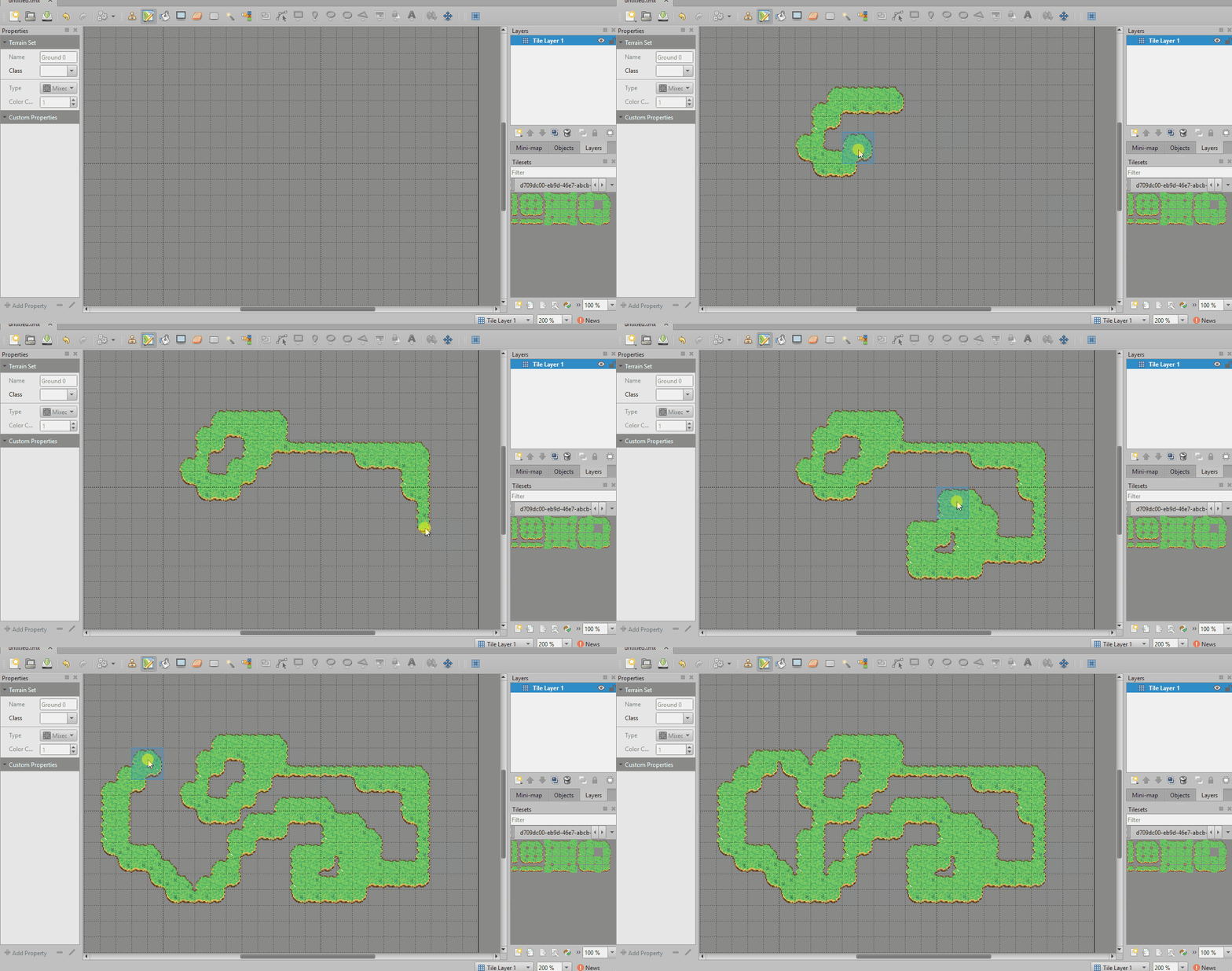
Autotile tileset as .tsx
Export a tileset as a Tiled .tsx file with a terrain already configured. Add it to your map and the Terrain Brush picks the right edge and corner tiles as you paint.
A full set from one prompt
SpriteCook builds the 15-piece autotile set from a single prompt, laid out so edges and corners line up. There is no hand-cutting a sheet into tiles.
Tiles that match your sprites
Tiles, characters, and props all come from the same tool with one consistent style, so the maps you paint in Tiled match the rest of your game.
Guides and docs
Make a Tiled autotile tileset
Export a .tsx tileset and paint maps with the Terrain Brush.
Make a tileset that actually tiles
Generate a 15-piece autotile set from one prompt, with edges and corners that line up.
Free Tileset Base Generator
Build top-down and 2:1 isometric tileset reference sheets.
Generate seamless textures
Make tileable textures to fill your maps.
Common questions
Does SpriteCook export to Tiled?
Yes. You can export a tileset as a Tiled .tsx file with a terrain already configured, so it is ready to add to a map.
Is the tileset autotile?
Yes. The terrain is set up for you, so the Terrain Brush picks the right edge and corner tiles as you paint, with no manual tile-by-tile placement.
Do I have to cut the sheet into tiles myself?
No. SpriteCook builds the 15-piece autotile set from a single prompt, laid out so edges and corners line up, and exports it ready for Tiled.
Will the tiles match my characters?
Yes. Tiles, characters, and props all come from the same tool, and a saved Theme keeps one consistent style, so your Tiled maps match the rest of your game.
Make a tileset for your map
Generate an autotile tileset in under a minute, then export it to Tiled and start painting.
Start creating free