 +
+Integration
SpriteCook+Godot
Export your characters and tilesets straight into Godot 4. SpriteCook builds the SpriteFrames and TileSet resources for you, with pixel-perfect settings, so your art is ready to drop onto a node.
Animated characters, built for you
Export a character as a Godot project. An included editor plugin builds the SpriteFrames resource when you open it, so idle, walk, run, jump, and attack are ready for an AnimatedSprite2D, with no manual slicing.
Autotile tilesets as .tres
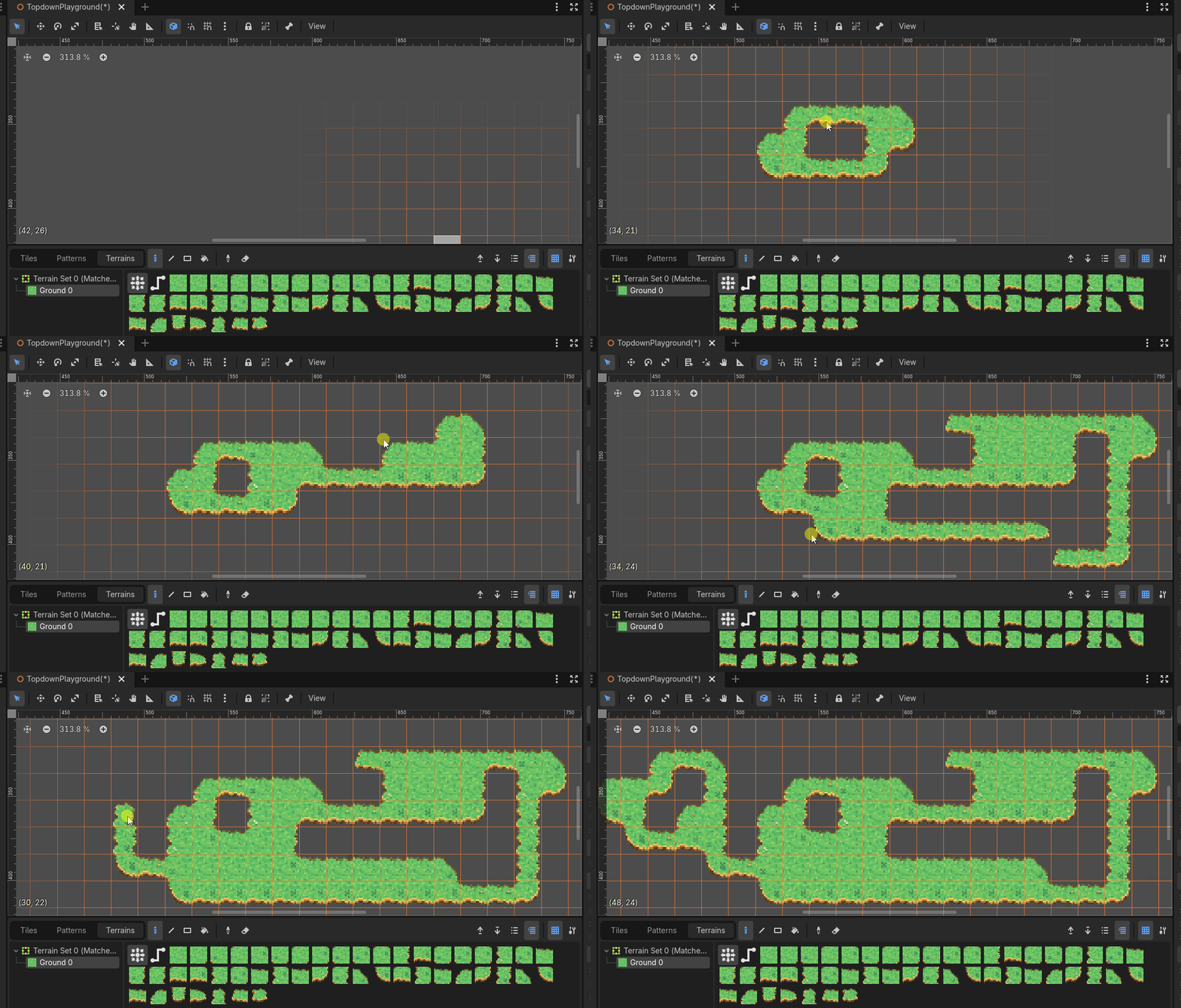
Export a tileset as a Godot TileSet resource with a terrain set already configured. Drop it on a TileMapLayer and paint in terrain connect mode; matching edges and corners are chosen for you.
Pixel-perfect by default
Textures come set for crisp pixels: nearest filtering, no mipmaps, and pixel snap. Match the recommended project settings and your art stays sharp at any zoom.
Guides and docs
Make a Godot autotile tileset
Export a tileset, load it on a TileMapLayer, and paint a map with autotiling.
Godot 4 import settings
Set up crisp, pixel-perfect sprites in Godot, step by step.
From prompt to animated character
Build a full animation set, then export it straight to your engine.
Slice sprite sheets and animations
How sheets are packed, and how to split them into separate assets.
Common questions
Does SpriteCook export to Godot 4?
Yes. You can export a character as a Godot project with the SpriteFrames resource built for you, and export tilesets as Godot TileSet (.tres) resources. Top-down and platformer autotiles include terrain setup; isometric exports are atlas-only.
Do I have to slice sprite sheets myself?
No. The character export includes an editor plugin that builds the SpriteFrames resource when you open the project, so your idle, walk, run, jump, and attack animations are ready for an AnimatedSprite2D.
Are the tilesets autotile?
Top-down and platformer autotile exports include a configured terrain set. Drop the TileSet on a TileMapLayer, paint in terrain connect mode, and matching edges and corners are chosen for you. Isometric exports register atlas tiles for individual placement instead.
Will my pixel art stay crisp in Godot?
Yes. Textures are set up for crisp pixels with nearest filtering and no mipmaps. Match the recommended project settings (nearest filter, pixel snap) and your art stays sharp at any zoom.
Make art for your Godot game
Generate characters and tilesets in under a minute, then export them straight into Godot.
Start creating free