Free animated pixel art wallpapers, and how to make your own
Eight free animated pixel art phone wallpapers, 1440x2560 MP4 loops and PNGs. Here's how they were made in SpriteCook, so you can make your own scene.
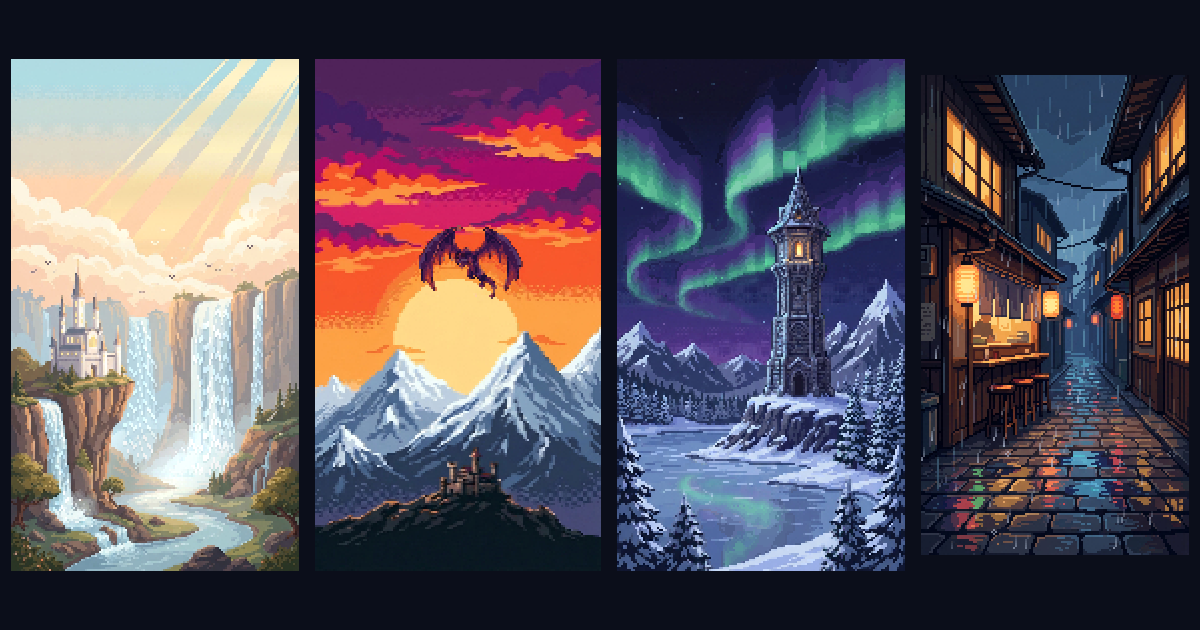
We made a set of eight animated pixel art wallpapers for phones, and you can download all of them for free. Each one is a 1440 by 2560 loop of about 12 seconds, as an MP4 and as a still PNG.



The other five are a waterfall valley at sunrise, a cherry blossom temple, a girl and her dog on a hilltop, a wizard tower under northern lights and a knight by a campfire. They're free to use on your own phone, tablet or computer. Please don't resell them or share them as your own pack.
The rest of this post is how we made them, so you can make one of your own scene.
1. Generate the scene small
Every wallpaper started as one prompt in Create, at a small size. That's what gives the big chunky pixels when it's blown up to phone size later.
- Style: Pixel Art
- Aspect Ratio: 9:16
- Remove BG: off, since you want the whole scene
- Model: Nano Banana Pro or Nano Banana 2.1
- Size: around 256. Size is a target, and ours came back at about 144 by 256 pixels.
In the prompt, describe the scene and add "big chunky pixels" so the model keeps the pixels large. Something like:
A dragon gliding over snowy mountain peaks at sunset, a small castle on a ridge below, warm orange and purple sky, big chunky pixels
Run it a few times and keep the one with the clearest shapes. At this size, a scene with one strong subject and a simple background reads best on a lock screen.
2. Animate it
Open the still in Animate and pick Pixel Engine 1.5, which handles pixel art up to 320 pixels on a side, so a 144 by 256 scene fits. Describe gentle motion that loops well:
Clouds drift slowly to the right, the dragon glides in a slow circle, the snow on the peaks stays still
For calm scenes, like a lighthouse with waves or a lantern street, animating the whole picture works fine.
3. Animate only the subject, if the scene drifts
With a moving subject in a big scene, the model sometimes moves the background too, and the clouds jump back when the loop restarts. For the dragon, the campfire and the cherry tree we animated only the subject and kept the rest still. To edit an image, right-click it in Create and pick Edit, then describe the change.
- Make a background plate. Edit the scene with the prompt "remove the dragon, keep everything else exactly the same".
- Cut out the subject. Edit the original again with "keep only the dragon on a plain white background", then remove the background.
- Animate the subject on its own with Pixel Engine 1.5, as in step 2.
- Put it back. Lay the animated dragon over the still plate, in the same spot it had in the original, in any image or video editor.
Rain, falling petals, twinkling stars and the waterfalls in our set were added afterwards in code as simple particle effects. You can skip those, or add them in a video editor.
4. Scale it to phone size
Download the animation as a Frames ZIP and scale every frame up 10 times with nearest neighbour, so the pixels stay sharp. 144 by 256 times 10 is 1440 by 2560, which fits most phones. If you have ffmpeg, one command does it:
ffmpeg -framerate 8 -i frame_%03d.png -vf "scale=iw*10:ih*10:flags=neighbor" -pix_fmt yuv420p wallpaper.mp4
Change the file pattern to match your frame names, and the frame rate to match your animation. For a still version, open the image in the fullscreen viewer, use Resize, and multiply by 10.
5. Put it on your phone
On Android, a lot of phones can use a short video as the lock screen, and a video wallpaper app works on the rest. iPhone wallpapers only move as Live Photos, so turn the MP4 into one with a Live Photo converter app first. If you only want a still, use the PNG.
Common pitfalls
- Soft or tiny pixels. The scene was generated too big. Keep it small and scale it up afterwards.
- A jump when the loop restarts. The background moved during the animation. Animate only the subject as in step 3.
- Blurry after scaling. The scaler smoothed the pixels. Use nearest neighbour, never bilinear or bicubic.
If you'd rather just grab ours, the wallpaper page has all eight. For more on animating small sprites, see tiny pixel art animations.