How to make pixel art look like it's on a CRT
What an old CRT TV does to pixel art, why 90s console artists dithered in checkerboards, and a one-pass CRT shader for WebGL and Godot, with notes for other engines.
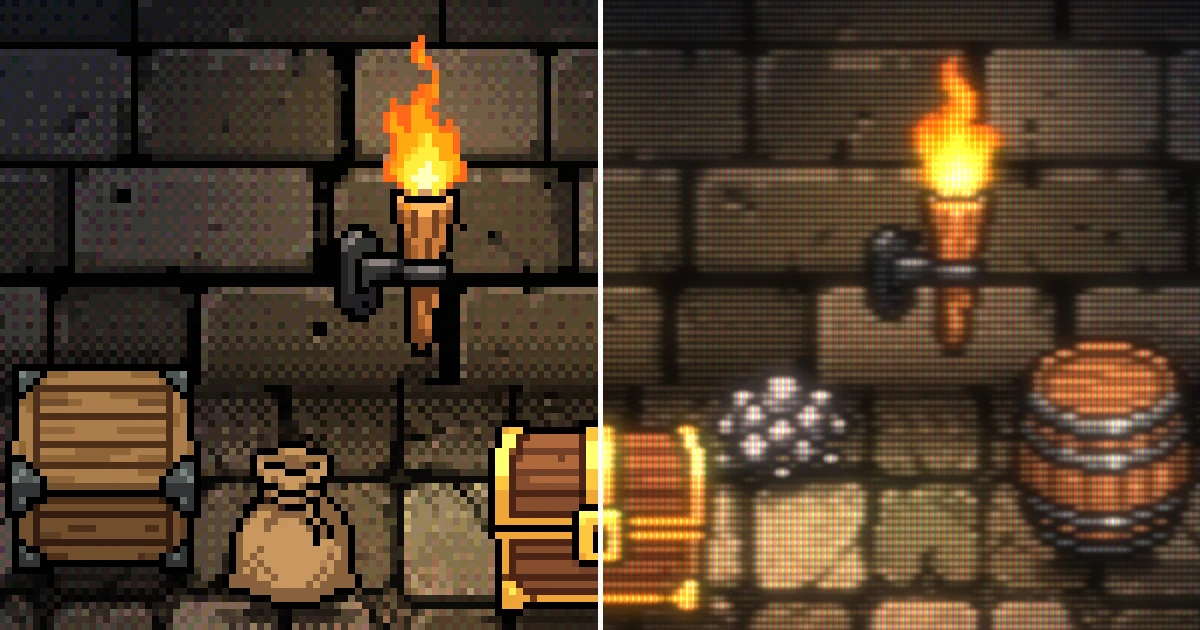
Pixel art from the 90s was made for home TVs that rarely showed a hard square pixel. The picture blurred sideways, dark rows broke up into scanlines, and bright things glowed. Here's what a CRT does to pixel art, which parts of it you need, and a small shader that fakes it.
The same frames on both halves. The left is what you'd draw, the right is the shader at the end of this post. The sprites are generated pixel art, and the light, dithering and shadows are drawn in code.
What a CRT does to pixel art
Five things, in the order the shader does them.

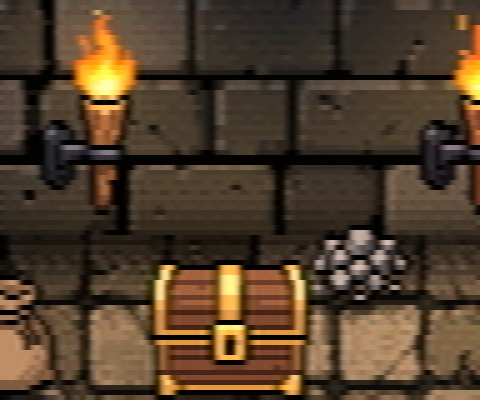
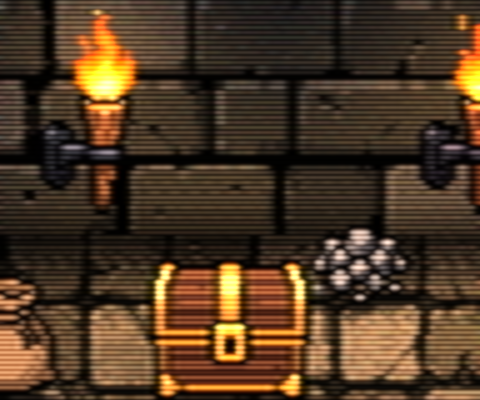
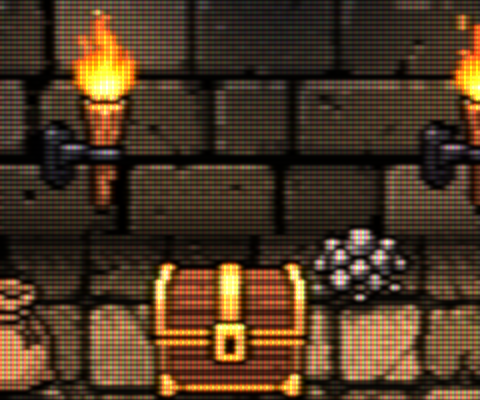
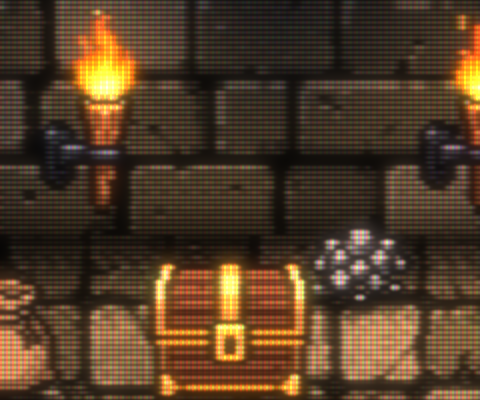
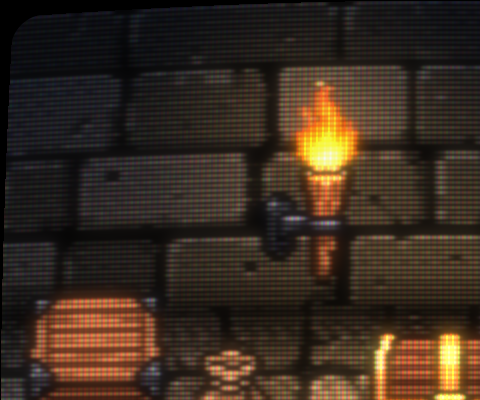
- The signal blurs sideways. A TV line is an analog voltage, and the cable and the TV can't follow fast changes along a row. Edges soften left to right and stay sharp top to bottom. Color blurs further than brightness, because NTSC sends color with much less bandwidth (1.3 and 0.4 MHz against about 4 MHz).
- Scanlines. Old consoles sent about 240 lines and drew the same ones every frame, so the lines in between never lit up. The beam is soft and round, and it gets wider on bright pixels. Dark areas show thin lines with gaps, bright areas fatten until the lines touch.
- The phosphor mask. The glass is covered in tiny red, green and blue stripes or dots. Up close it's a texture. On a phone it mostly makes things darker, so it's the first thing to drop.
- Glow. Light scatters in the glass, so bright pixels bleed into the dark around them. It also wins back the light the gaps and the mask take away.
- Curvature. The screen bulges and the corners round off. It only shows at the edges, and it costs almost nothing.
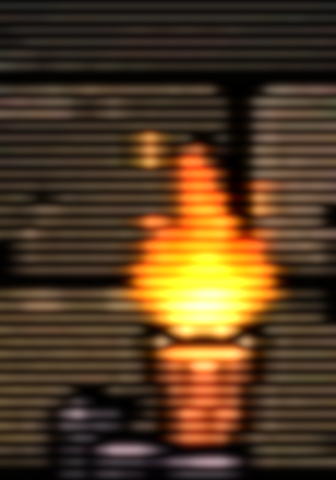
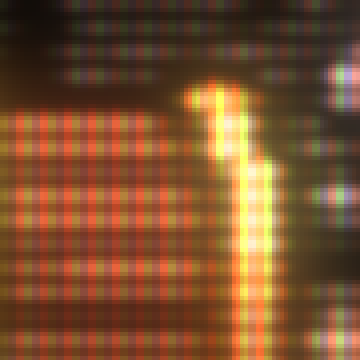
Why old games dithered in checkerboards
Because the blur only goes sideways, a pattern that flips every pixel along a row melts into one flat color. A checkerboard does that, and so do 1-pixel vertical lines. Horizontal lines don't, because every row stays its own scanline.
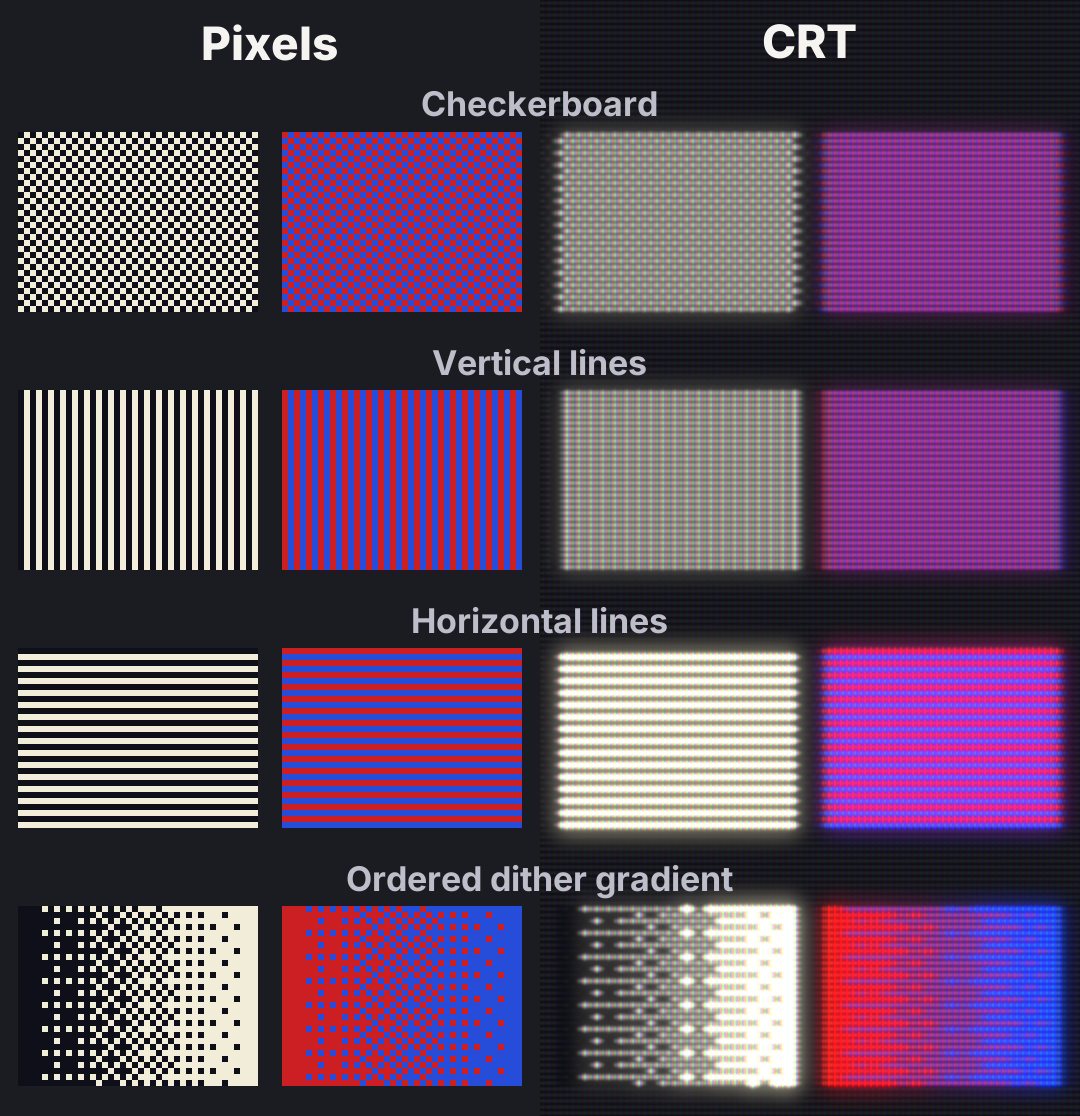
On composite TVs it went further than a soft blur. Simple TVs separate color from brightness by cutting out the frequencies around the 3.58 MHz color carrier. On a 320-pixel-wide Mega Drive game, a pattern that flips every pixel sits at about 3.4 MHz, right next to it. The TV throws the pattern away and shows you the average color, which is how a checkerboard waterfall turns see-through.
Artists drew for it. In interviews collected by CRT Database, Jeff Jonas (Vectorman) says vertical line blending worked better on TV than plain dithering, and a Bare Knuckle II developer describes faking transparency with a checkerboard of see-through and solid pixels. Yasushi Yamaguchi's team drew on sharp RGB monitors until they saw the Mega Drive on a TV, and found it "was totally blurry".
The room in the video uses the same trick. Its shadows are 50% checkerboards and its light falls off in dithered steps, and on the CRT side both turn smooth.
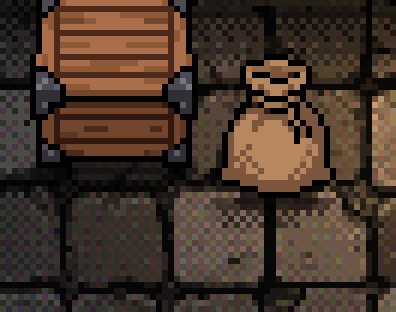
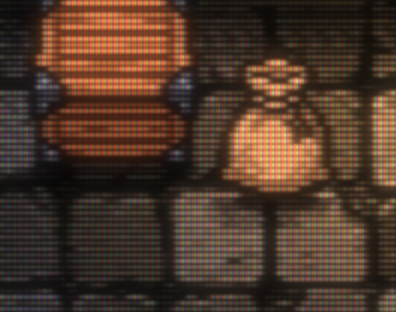
One caveat. Not every CRT blurred like this. Arcade monitors and RGB cables (SCART) were sharp enough to show every pixel, and TVs with a comb filter kept more of the dither. Carl Svensson argues that the blur came mostly from cheap composite and RF connections, and that good pixel art looked good on sharp screens too. Both are true. The shader below is a decent TV on a composite cable, the setup most players had.
The shader
It works in any engine that can run a fragment shader over a texture:
- Render the game at its native resolution into a texture (a SubViewport in Godot, a RenderTexture in Unity, a surface in GameMaker, a framebuffer in WebGL).
- Draw that texture to the screen at a whole-number scale, through this shader.
#version 300 es
// CRT look for pixel art, one pass. Draw the game at its native size into a texture,
// then run this over the whole screen. The screen should be a whole multiple of the game size.
precision highp float;
precision highp int;

uniform sampler2D game;        // the game at its native size, nearest filtering
uniform vec2 screen_size;      // output size in pixels
out vec4 frag_color;

// Settings. Distances are in game pixels unless they say otherwise.
const float LUMA_BLUR = 0.45;      // how soft brightness edges get
const float CHROMA_BLUR = 1.2;     // color bleeds further than brightness, like NTSC
const float BEAM_MIN = 0.21;       // scanline thickness on black, in lines
const float BEAM_MAX = 0.40;       // ...and on white: bright lines fatten until they touch
const float MASK_PX = 2.0;         // screen pixels per phosphor stripe
const float MASK_DARK = 0.62;      // the two phosphor colors that are off
const float MASK_LIGHT = 1.22;     // and the one that is on
const float GLOW = 0.26;           // light spilling around bright things
const float BOOST = 1.5;           // wins back what the gaps and the mask take
const vec2 WARP = vec2(0.031, 0.041);  // screen curvature, 0 for a flat screen

// NTSC brightness (Y) and color (I, Q). Columns, so RGB_TO_YIQ * rgb gives yiq.
const mat3 RGB_TO_YIQ = mat3(vec3(0.299, 0.596, 0.211), vec3(0.587, -0.274, -0.523), vec3(0.114, -0.322, 0.312));
const mat3 YIQ_TO_RGB = mat3(vec3(1.0, 1.0, 1.0), vec3(0.956, -0.272, -1.106), vec3(0.621, -0.647, 1.703));

vec3 game_px(ivec2 p) {
    ivec2 size = textureSize(game, 0);
    return texelFetch(game, clamp(p, ivec2(0), size - 1), 0).rgb;
}

// 1. The signal. One row of the game, blurred sideways only, read at x.
// Brightness first goes through a [1 2 1] filter, which wipes out anything that flips every pixel:
// that's what melts 1-pixel dither into one flat color. Color gets a wider blur.
vec3 signal(int row, float x) {
    int x0 = int(floor(x));
    vec3 t[9];
    for (int k = 0; k < 9; k++) {
        t[k] = RGB_TO_YIQ * game_px(ivec2(x0 - 4 + k, row));
    }
    vec3 sum = vec3(0.0);
    vec3 weight = vec3(0.0);
    for (int k = 1; k < 8; k++) {
        float luma = 0.25 * t[k - 1].x + 0.5 * t[k].x + 0.25 * t[k + 1].x;
        float d = float(x0 - 4 + k) + 0.5 - x;
        float wl = exp(-0.5 * d * d / (LUMA_BLUR * LUMA_BLUR));
        float wc = exp(-0.5 * d * d / (CHROMA_BLUR * CHROMA_BLUR));
        sum += vec3(luma * wl, t[k].y * wc, t[k].z * wc);
        weight += vec3(wl, wc, wc);
    }
    return clamp(YIQ_TO_RGB * (sum / weight), 0.0, 1.0);
}

// 2. The beam. Each row lights a soft band whose thickness grows with brightness.
vec3 beam(vec3 lin, float dist) {
    vec3 sigma = mix(vec3(BEAM_MIN), vec3(BEAM_MAX), pow(lin, vec3(0.6)));
    return lin * exp(-0.5 * dist * dist / (sigma * sigma));
}

// 4. Glow: a wide soft blur of the game, added on top.
vec3 glow(vec2 p) {
    ivec2 c = ivec2(floor(p));
    vec3 sum = vec3(0.0);
    float weight = 0.0;
    for (int j = -2; j <= 2; j++) {
        for (int i = -2; i <= 2; i++) {
            vec2 d = vec2(c + ivec2(i, j)) + 0.5 - p;
            float w = exp(-0.5 * dot(d, d) / 2.56);
            sum += w * pow(game_px(c + ivec2(i, j)), vec3(2.4));
            weight += w;
        }
    }
    return sum / weight;
}

// uv: 0..1 across the screen, top-left origin. screen_px: this pixel's position on screen.
vec3 crt(vec2 uv, vec2 screen_px) {
    // 5. Curvature: bend the coordinates first, black outside the glass.
    vec2 c = uv * 2.0 - 1.0;
    c *= vec2(1.0 + c.y * c.y * WARP.x, 1.0 + c.x * c.x * WARP.y);
    uv = c * 0.5 + 0.5;
    if (uv.x < 0.0 || uv.y < 0.0 || uv.x > 1.0 || uv.y > 1.0) {
        return vec3(0.0);
    }
    vec2 p = uv * vec2(textureSize(game, 0));    // position in game pixels
    float y = p.y - 0.5;
    int r0 = int(floor(y));
    vec3 col = vec3(0.0);
    for (int k = 0; k < 2; k++) {                  // the two nearest rows
        vec3 lin = pow(signal(r0 + k, p.x), vec3(2.4));
        col += beam(lin, y - float(r0 + k));
    }
    col *= 1.32;
    // 3. Phosphor mask, aperture grille: red, green and blue stripes on the glass.
    int stripe = int(mod(floor(screen_px.x / MASK_PX), 3.0));
    vec3 on = vec3(float(stripe == 0), float(stripe == 1), float(stripe == 2));
    col *= mix(vec3(MASK_DARK), vec3(MASK_LIGHT), on);
    col += GLOW * glow(p);
    col *= 1.0 - 0.22 * pow(clamp(dot(c, c) * 0.5, 0.0, 1.0), 1.5);   // darker towards the edges
    return pow(clamp(col * BOOST, 0.0, 1.0), vec3(1.0 / 2.2));
}

void main() {
    vec2 uv = vec2(gl_FragCoord.x, screen_size.y - gl_FragCoord.y) / screen_size;
    frag_color = vec4(crt(uv, gl_FragCoord.xy), 1.0);
}
The settings at the top are the knobs. LUMA_BLUR and CHROMA_BLUR set how soft it gets, BEAM_MIN and BEAM_MAX set the scanlines, MASK_PX sets how wide the phosphor stripes are on screen, and WARP at zero gives you a flat screen.
It does 43 texture reads per pixel (9 for each of the two nearest rows, 25 for the glow). That's fine on a desktop GPU. On phones, shrink the glow loop to 3x3 or take it out.
In Godot
Godot's shader language takes the same body. Swap the top and the bottom for these, put the shader on a TextureRect that shows a SubViewport with your game at its native size, and assign the SubViewport's texture to game.
shader_type canvas_item;
// CRT look for pixel art, one pass. Put it on a TextureRect that shows a SubViewport with the game
// at its native size, scaled up by a whole number. Assign the SubViewport's texture to `game`.

uniform sampler2D game : filter_nearest;
Everything from const float LUMA_BLUR to the end of crt() stays the same, then:
void fragment() {
    COLOR = vec4(crt(UV, FRAGCOORD.xy), 1.0);
}
We ran both on the same frame. Godot 4.6.1 and WebGL in Chrome give the same picture, 0.1% apart on average.
Other engines
For Unity (HLSL), rename the types (vec3 to float3, mat3 to float3x3), mix to lerp, mod to fmod and texelFetch(game, p, 0) to game.Load(int3(p, 0)). Keep the matrix numbers as they are and write mul(v, M) where the GLSL has M * v. In GLSL ES 1.0 (GameMaker, older WebGL) there's no texelFetch, so read the pixel with texture2D at (p + 0.5) / size. We haven't tested these two ports.
What still shows on a phone
Ranked by how much each part survives at phone size, from our renders:
- The signal blur and the dither melt
- Glow
- Scanlines, as long as every game pixel is 5 or more screen pixels tall
- Curvature
- The mask, which mostly darkens
Common pitfalls
Uneven scanlines. Scale by a whole number. At 2.5x some rows get 2 screen lines and some get 3, and the scanlines beat into wide stripes (moiré). Below about 4x the lines are too thin to read anyway.
Double blur. Keep the game texture on nearest filtering. The shader does its own blur, sideways only.
Blurring both ways. A plain blur over the whole image looks like a smeared JPEG. The CRT look keeps rows sharp top to bottom and soft left to right.
A mask finer than the screen. Stripes 1 screen pixel wide turn into color noise once the image gets resized or compressed. Keep MASK_PX at 2 or more, or leave the mask out.
Everything gets darker. Before any boost, our room came out about 40% darker than the pixel version, from the scanline gaps, the mask and the CRT's darker gamma. That's what BOOST and the glow are for.
Dither that won't melt. Horizontal lines and sparse patterns (one pixel in four) keep their shape, because there's nothing next to them on the row to blend with. Use checkerboards or vertical lines where you want a smooth mix.
Further reading
- The libretro shaders this one borrows from: crt-lottes (Gaussian scanlines and a mask in one pass), crt-geom (a beam that widens with brightness), and crt-guest-advanced and crt-royale for the full simulation. The libretro docs compare them.
- Developers Speak on Designing Game Artwork for CRTs, CRT Database
- 2D shadowcasting for torchlight, fog of war and line of sight, for torchlight that stops at walls
- Pixel Engine Image and Pixel Engine v1.5, which made the sprites and animated the torch flame and the slime's hop