Free, runs in your browser
Image to Pixel Art Converter
Turn any image or photo into pixel art. Pick the size and the number of colors, add an outline if you want one, and download a crisp PNG. Nothing gets uploaded.
How to turn a picture into pixel art
- 01
Drop your image
A photo, a drawing or a screenshot. Crop close to the subject first for the cleanest result.
- 02
Pick size and colors
Smaller sizes and fewer colors look more like classic pixel art. 64 pixels and 16 colors is a good start.
- 03
Download the PNG
Take it at its real size for a game, or at 8x to print it or use it as a building or stitching guide.
Converting a photo vs drawing it as pixel art
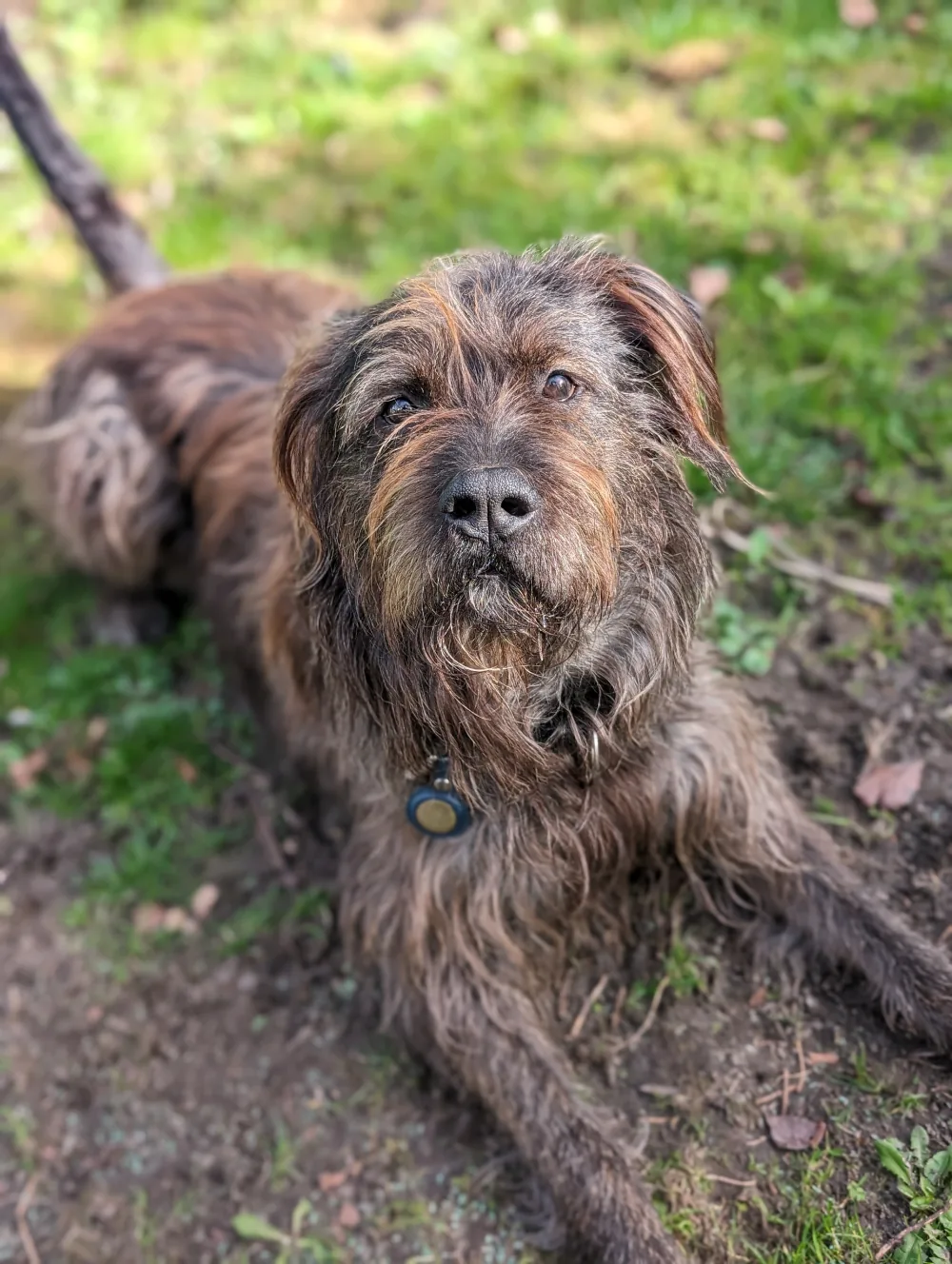
A converter shrinks the image and cuts down its colors, so every pixel still follows the photo. That works well for avatars, patterns and quick mockups. For a game sprite you usually want the subject redrawn with clean shapes and an outline, and that's what SpriteCook's AI does with the same photo.
More free pixel art tools
AI pixel art fixer
Already have blurry pixel art? Snap it back to a clean pixel grid.
Pixel art background remover
Clear a flat background on whole pixels, with hard edges.
Pixel art outline generator
Add an outline in any color, thickness and corner style.
Free pixel art sprites
Animated characters, icons and props you can use in your game.