Free, runs in your browser
Pixel Art Background Remover
Drop a sprite or sprite sheet and get a transparent PNG back. It removes whole pixels only, so edges stay hard and nothing gets blurred. Your image never leaves your device.
How to remove the background from pixel art
- 01
Drop your image
A single sprite or a whole sheet. The background color is read from the border of the image.
- 02
Tune the cut
Raise the tolerance if AI noise leaves specks behind, and click any spot that is left to clear it.
- 03
Download the PNG
You get a transparent PNG at the original size. Turn on Trim to crop the empty space away.
Why pixel art needs its own background remover
Most background removers are made for photos. They soften the edge of the subject and leave a ring of half-transparent pixels around it. On a 32 pixel sprite that ring shows up as a grey or white halo the moment you put the sprite on a dark game background.
This tool works like the magic wand in a pixel editor. It finds the background color, clears every pixel that matches it and leaves the rest exactly as it was. A 64 by 64 sprite comes out as the same 64 by 64 sprite, minus the background.
Gradients, shadows and noisy backgrounds
A color pick works when the background is one flat color. AI image models often add a soft gradient, a drop shadow or a bit of texture, and that needs a remover that finds the sprite itself. SpriteCook's background removal does that, and keeps the edge on whole pixels.
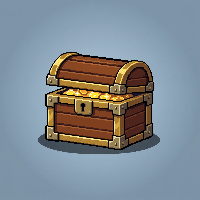
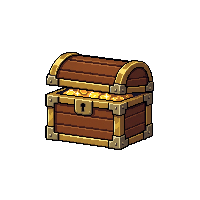
- Harder backgrounds
- Gradients, soft shadows, and backgrounds that share colors with the sprite.
- Hard edges
- A hard alpha cutoff, so every pixel is either fully there or fully gone. No grey halo.
- Animations
- Every frame of an animation gets its background removed in one go.
- Cost
- Basic is 1 credit per image and 2 per animation. Pro uses Photoroom for the cleanest edges and costs 2 credits per image or 2 per frame on animations.
Holes in the outline after background removal
Background removal decides pixel by pixel what is sprite and what is background, and the dark outline sits right on that line. Some outline pixels get thrown out with the background, and the sprite ends up with gaps in its outline.
In SpriteCook, Smart outline repair runs by default when you remove the background from a pixel art sprite or animation. It checks whether the sprite has an outline, puts the missing pixels back in the sprite's own colors and cleans leftover background off the edge. It doesn't cost credits.


For tools and pipelines
Pixel art background removal API
If you run a game, an editor or an asset pipeline that needs transparent sprites in bulk, SpriteCook's Basic background removal is also available over HTTP. Send an image, poll the job, download the PNG.
- Input
- Any still image (PNG, JPG, WebP) or an animated WebP, as a multipart upload or base64 JSON.
- Output
- A transparent PNG, or an animated WebP for animations, with hard alpha.
- Price
- 1 credit per image, 2 per animation.
- Outlines
- Import the sprite as pixel art and remove the background by asset_id to get Smart outline repair as well.
- Tuning
- Set the alpha cutoff per request with runpod_alpha_cutoff (default 96).
- Results
- Download links stay valid for 24 hours.
curl https://api.spritecook.ai/v1/api/remove-background \-H "Authorization: Bearer sc_live_YOUR_KEY" \-F "file=@knight.png"# {"job_id": "5fd62fa0-...", "status": "queued"}curl https://api.spritecook.ai/v1/api/jobs/5fd62fa0-... \-H "Authorization: Bearer sc_live_YOUR_KEY"# {"status": "succeeded", "file": {"url": "..."}}
Using Claude Code, Codex or Cursor? The SpriteCook MCP server has a remove_background tool, so your agent can clean up sprites while it builds your game. Processing a lot of images every month? Get in touch about volume pricing.
More free pixel art tools
Pixel art outline generator
Add a clean 1 pixel outline to a sprite, in any color.
AI pixel art fixer
Snap blurry, upscaled AI pixel art back to its real pixel grid.
Sprite sheet slicer
Split a transparent sheet into frames, or pack a GIF into a sheet.
AI pixel art generator
Make sprites that come out transparent, with the outline intact.