Free to try, no credit card
Pixel Art Character Generator
Describe a character and get a pixel art sprite with idle, walk, run and attack animations, in side view, top-down or isometric. Export it to Godot, Unity, Phaser or Roblox.

Character

Idle

Walk

Run

Jump

Attack

Drinkcustom

Throwcustom

Every move also downloads as a sprite sheet. Drink and Throw were custom moves, described in a few words.
Pixel art or detailed, in your style
Pick pixel art or detailed in the creator, then put the look you want in your prompt. Here's the same fox knight with seven different style descriptions. Pixel art comes out on a real pixel grid at sprite size. Detailed art is smooth 2D.


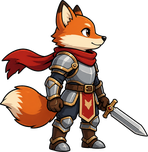
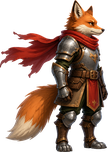
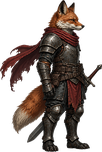
Style words: 16-bit console sprite, saturated colors, crisp dark outline, simple two-tone shading
Pixel art
Detailed
Side view, top-down or isometric
Each perspective comes with its own set of animations, drawn facing the right way for that kind of game. Need a move that isn't on the list? Describe it.

Idle, walk, run, jump, attack, hurt and death.
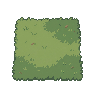

Idle, walk, run, attack, hurt and death, facing up, down, left and right.
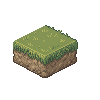

Idle, walk, run, jump, attack, hurt and death, facing front and back.
How to make a pixel art character
Describe your character
A line of text is enough. Already have a sprite? Upload it instead and go straight to animating it.
Pick a style and a perspective
Pixel art or detailed, side view, top-down or isometric. The animations follow the perspective you pick.
Choose the animations
Start from the set for your perspective, then add your own moves in plain words, like "drink a potion".
Export it to your engine
Download a playable setup for Godot, Unity, Phaser or Roblox, or plain sprite sheets for anything else.
Every screen of the creator, step by step, is in the character guide.
Export to your engine
When the animations are done, the character exports as a ready-to-play setup, so you skip slicing sheets and wiring up an animation player by hand.
Godot
Scenes, scripts and a playable character you can drop into a level.
Unity
A .unitypackage with a character controller prefab.

Phaser
A playable starter project with your character set up.
Roblox
A demo project with your character in it.
Engine exports come with any paid plan. On the Free plan, and for GameMaker, RPG Maker or your own engine, download each move as a sprite sheet, an animated WebP or PNG frames. See every engine.
Watch the character creator
All videos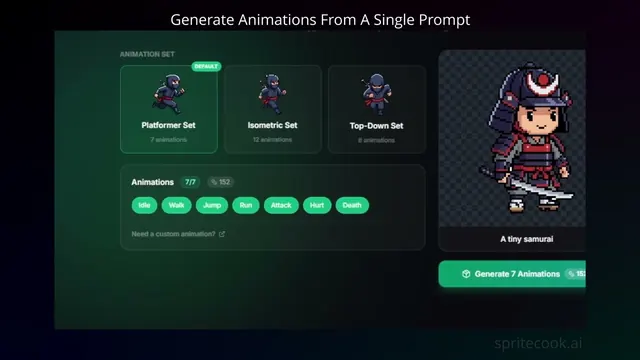 0:40Create a pixel art game character with a single promptUse the character creator to go from one prompt to a fully animated character in a couple of minutes.
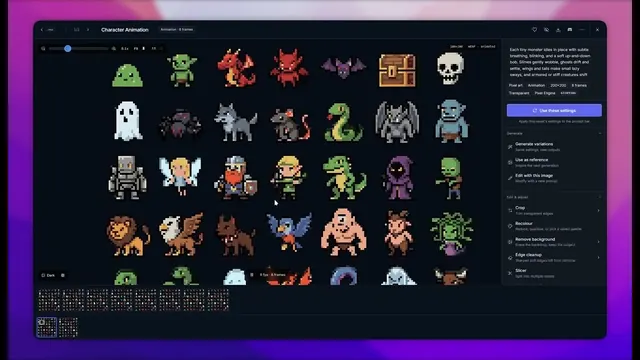 0:53Generate and animate multiple characters at onceMake a whole cast in one go, then animate every character in the same batch.
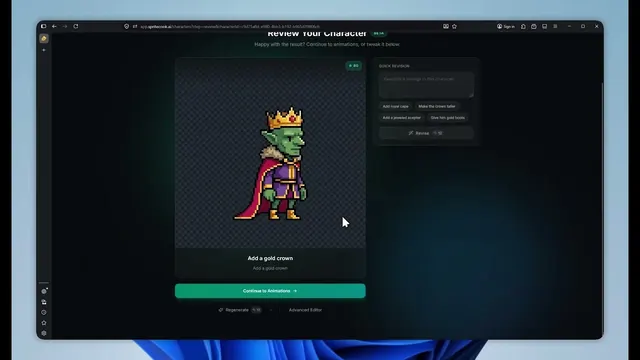 0:40Create an animated pixel art character in under 2 minutesDescribe a character, generate it, and get its animation set back in under two minutes.
Or let your coding agent make the cast
The SpriteCook plugin for Claude Code, Codex, Cursor and OpenCode can create characters, animate them and export a Godot-ready folder straight into your project while your agent writes the game. See the agent setup.
More character tools
Walk cycle generator
Just need a walk? The classic loop from a prompt.
Pixel art animation generator
Animate any sprite you have, from props to monsters.
Character portrait generator
Dialogue and menu portraits to go with your sprites.
Monster sprite generator
Enemies and creatures in the same style as your hero.
Pixel art character examples
Finished characters with the prompts that made them.
Pixel art outline generator
Add a clean outline to a sprite you drew yourself.