Game art, generated
Unity UI Kit Generator
Design your whole screen once, then export a .unitypackage where every sprite already has its 9-slice borders set and its interaction states grouped.





Why the import settings matter
Getting a button image takes seconds. Getting it usable in Unity takes longer. You set the texture type to Sprite, work out the four border values, type them into the sprite editor, then repeat for the panel, the tab, the tooltip, and the bar. Get a border wrong and the corner stretches the first time a label runs long.
The UI Kit Builder does that part for you. You design the whole screen as one concept, set the 9-slice borders once while reviewing the pieces, and export a .unitypackage where every sprite carries its own import settings: texture type Sprite, alpha is transparency, and the border values you set. Drop one on an Image, set the type to Sliced, and it scales correctly.
How it works
Start with the whole screen
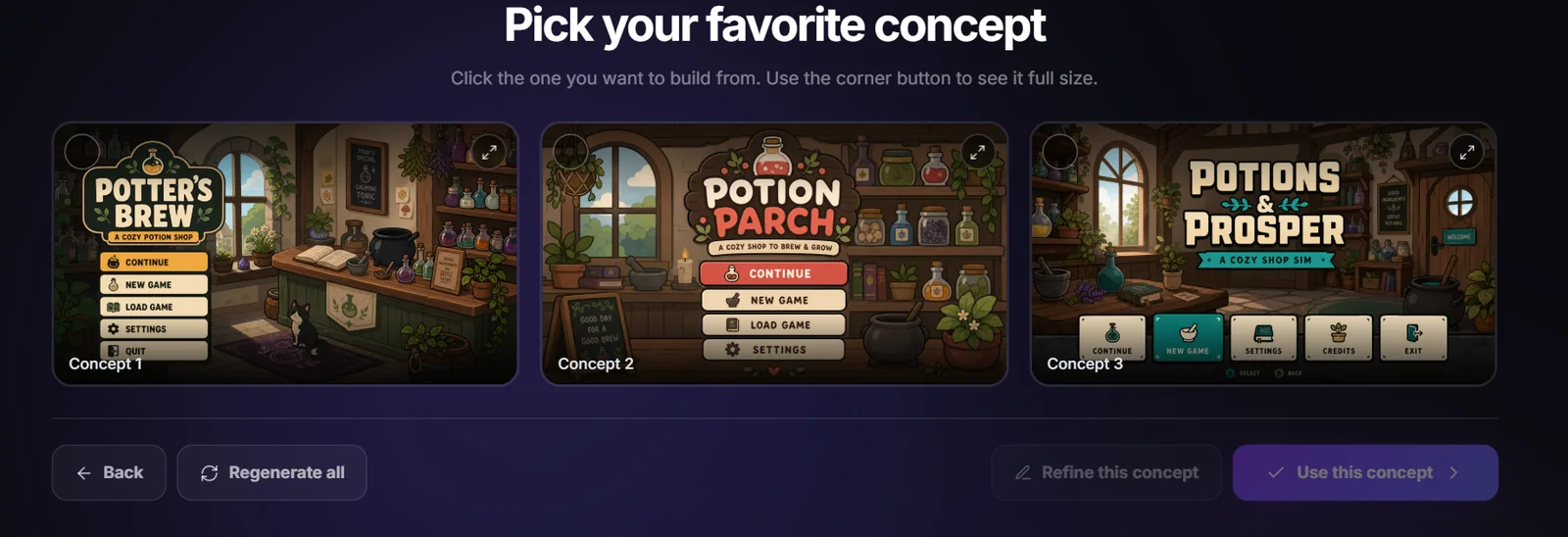
Describe your game and the screen you need, then pick from the full-screen concepts you get back. Everything is drawn in one picture, so the panel and the button already share a palette, an outline weight, and a light direction.
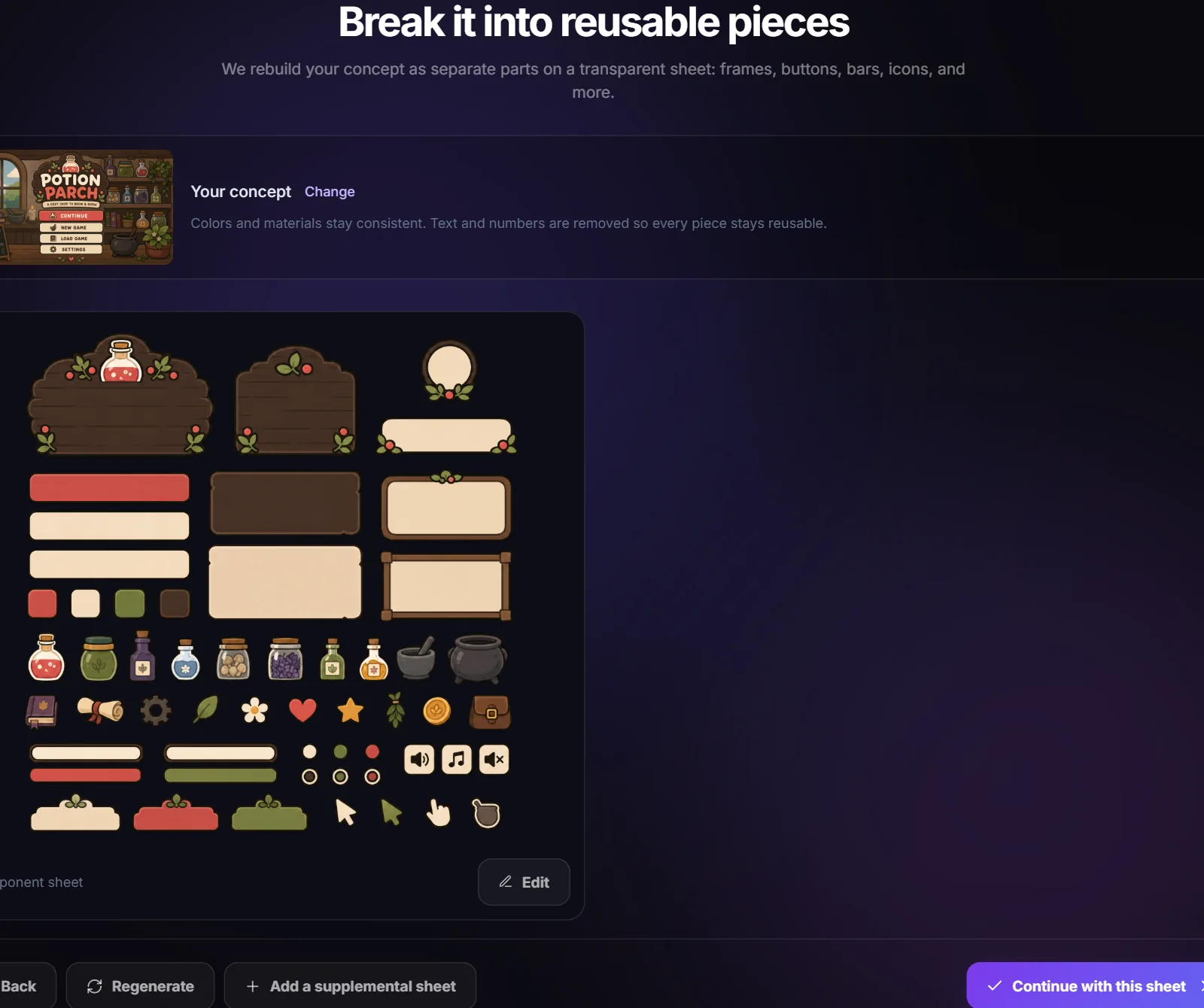
Rebuild it as separate sprites
The approved concept is rebuilt as a component sheet on a transparent background, every piece isolated. Ask for complete interaction states and buttons come back as full families: normal, hover, pressed, and disabled at matching dimensions, which is what a Selectable needs for Sprite Swap.
Import the package
Pick Unity on the export step, then double-click the .unitypackage or drag it into your project. Everything lands under Assets/SpriteCook/UI Kit with the borders already applied, and a bundled editor script under Tools can re-apply the sprite settings if you ever need to reset them.
What's in the Unity export
- Assets/SpriteCook/UI Kit/Elements/: every element as a sprite, borders and alpha settings already applied
- Assets/SpriteCook/UI Kit/ui-kit.spritecook.json: every piece with its type, state group, and border values
- Assets/SpriteCook/UI Kit/Editor/: a Tools menu item that re-applies the sprite import settings
- Assets/SpriteCook/UI Kit/concept.png: the screen the kit was designed from
- Deterministic GUIDs, so exporting the same kit again updates those sprites in place rather than duplicating them