How to make a pixel art pond with reflections and ripples
Turn a flat water tile into a moving pixel art pond, one layer at a time. Depth, sky light, tree reflections, shore edges, the back bank and ripples, each with its picture and the code for it.
Paste it into Claude Code, Codex, Cursor or any coding agent.
# Add layered pixel art water to the ponds in my game

The water in my 2D pixel art game is a flat tile repeated over the pond, so it looks pasted onto the ground. Build a layered water look for it: darker water in the middle, sky light on the near half, reflections of the trees behind the pond, a shore that laps, a back bank that moves quietly, and drops, glints, floating leaves and bobbing lily pads. The six layers go together as one water system.

Before you write code, look at my project: the engine and language, the game's pixel resolution and camera angle, how the pond is drawn today (a tilemap layer, one sprite, a shader), where trees and bushes are drawn and how they move, and my palette. Fit this into what is there instead of adding a second water system. Keep my water colors if I have a set; ask me before you invent a palette. Ask me which pond to do first if there are several.

## How it works

- Every water pixel gets a tone (a palette index), never a blended color. Layers overwrite tones; convert to colors once at the end.
- Depth and sky pick the base tone from the distance to the shore and the rows below the far shore.
- Reflections: each tree and bush behind the pond, as drawn this frame, flipped about its base row, squashed, cut to 3 dark tones, rows shifted by whole pixels (line scroll).
- Edges, back bank and life add small details on top, all on one loop.

## Numbers that matter

Tested on a pond about 136 x 60 px in a 320 x 180 game, 3/4 top-down view. Scale the sky rows (14 and 28, about 1/4 and 1/2 of the pond's front-to-back height) with your pond. Keep every other size in pixels.

- Tones, dark to light: water 0 #1d3a44, 1 #24505a, 2 #2e6468, 3 #3f8484, 4 #5d9fa6, 5 #6fb3a8, 6 #c4ece2; 7 shallow #5a9384; 8 bank mud #2c3b36; 9 bank grass #2d5246.
- Brightness = 0.3 R + 0.59 G + 0.11 B, on 0 to 255.
- Depth: blur the filled pond mask (holes filled, sigma 2 px), threshold 0.5, Euclidean distance to the nearest pixel outside it (a water pixel next to land is 1). Closer than 3 px tone 3, more than 7 px tone 1, else tone 2.
- Reflections: squash to 55%. Tone 0 below dark_cut (the brightness under which the darkest 15% of all tree and bush pixels fall), tone 1 below 110, else 2. The darker tone wins.
- Damp ground 82% brightness. Mirror of the back bank 6 rows deep (rows 1, 2, 3, 4, 6).
- Ripple: 5 frames of 0.2 s. Ellipse radii (rx, ry) = (1,0), (2,1), (4,2), (6,3), (8,4); draw the ring's edge pixels; frames 4 and 5 keep only pixels with |dy| >= ry / 2. Tone 6 for the first 3 frames, then 5.
- Glints: 20, at random spots and random start times in the sky zone, a horizontal dash for 0.6 s: 1 px until 15% of its life, 3 px until 30%, 5 px until 65%, 4 (center gap) until 85%, then 2 (the ends). Tone 6 in the middle, 5 at the ends. About 2.4 lit at once.
- Leaves: 2 per loop, fall 1.2 s, float 3 s drifting 3 px/s with a 1 px shadow under and a tone 5 pixel behind, sink 0.6 s. A landing leaf and 1 drop per loop make rings.
- Lily pads: 1 px lower while sin(phase(t, 1) + 1.7 k) > 0.4 for pad k, with a tone 0 shadow row under them.
- Loop: 5 s.

## Pseudo code

```
phase(t, cycles) = 2 * pi * cycles * t / LOOP           # cycles: whole numbers only

at load:
    depth = distance_to_shore(blur(filled, 2) > 0.5)
    far_row[x] = first pond row in column x;  row = y - far_row[x];  mid_y = median pond row
    things = filled and not water;  solid = things minus lily pads
    shallow = water pixel touching the shore, y > mid_y, not within 2 px of solid
    lap_dist = distance to the shore after a 5 x 5 closing of the dry area
    along = atan2((y - pond_center_y) * 2.2, x - pond_center_x) * 60
    contact = water touching a solid piece, at or below that piece's middle row
    damp = dry pixels touching the pond with y > mid_y - 6
    back_cols = columns where far_row[x] < mid_y

each frame, t = time in seconds (one-off events use t % LOOP):
    tone = 1 if depth > 7 else 2;  tone = 3 where depth < 3
    where depth >= 3: tone = 3 if row >= 14;  tone = 4 if row >= 28
    for each tree or bush whose base row is above far_row at its center column:
        r = 0
        while floor(r / 0.55) < tree.height:
            src = tree.frame_pixels[tree.height - 1 - floor(r / 0.55)]
            y = tree.base_y + r
            amp = 0 if r < 3 else 1 if r < 30 else 2
            dx = round(amp * sin(y * 0.75 - phase(t, 2)))
            for opaque pixel p in src at x = tree.x0 + p.x + dx, if water:
                tone[y, x] = min(tone[y, x], reflect_tone(brightness(p)))
            r += 1
    tone = 7 where shallow and tone >= 3
    dash = sin(along * 0.55 - phase(t, 2)) + 0.6 * sin(along * 0.23 + 1.3 - phase(t, 1)) > 0.55
    ring = 3 if sin(phase(t, 2)) > 0.35 else 2
    tone = 5 where lap_dist == ring and dash and tone >= 2 and not within 2 px of solid
    tone = 5 where contact and sin(x * 0.9 + y * 0.4 - phase(t, 2)) > 0.3 and tone >= 1
    for x in back_cols:
        tone[far_row[x], x] = 0
        for k in 1, 2, 3, 4, 6:
            y = far_row[x] + k
            dx = round(sin(y * 0.45 - phase(t, 2))) if k >= 4 else 0
            c = ground[far_row[x] - k, x + dx]          # skip if that pixel is pond
            tone[y, x] = 0 if brightness(c) < 36 else 9 if c.g > c.r + 12 else 8
        for k in 2 .. 5:                                 # faint ripples
            y = far_row[x] + k
            w = sin(x * 0.6 - phase(t, 1) + k * 1.7) + 0.6 * sin(x * 0.23 + k - phase(t, 1))
            if w > 0.95 and tone[y, x] in (0, 8, 9): tone[y, x] = 0 if tone[y, x] == 9 else 1
    draw ripples, glints, pad shadows into tone (timings above)
    color = PALETTE[tone] on water pixels; ground * 0.82 on damp pixels
    draw lily pads, leaves; creep: for x in back_cols, if
        sin(x * 0.35 - phase(t, 1)) + 0.5 * sin(x * 0.13 + 1 - phase(t, 1)) > 0.6,
        paint tone 0 at (far_row[x] - 1, x)
```

Godot: do the tone work in a `canvas_item` shader with baked depth and row textures, and draw reflections into a SubViewport masked to the water. Unity: a URP 2D material and a RenderTexture the same way. A custom engine can run this on the CPU at low resolution. In a shader, use rows below the far shore as r, and if you can't keep the darker of two reflections, draw darker tones last.

## Pitfalls

- Alpha blending gives hundreds of shades and muddy water.
- Full-strength reflections fill the pond with dark shapes.
- A fractional number of cycles per loop jumps at the loop point.
- A light line all around the shore reads as an outline; light pixels on the far bank read as neon.
- Glints on regular spots look like dead pixels; in a game, pick new spots each loop. Round every offset.

## Check that it works

- Every pixel the water layers write is a palette color (count colors in the water before leaves and pads).
- The frame at t and at t + LOOP is identical (pass raw t, not t % LOOP, or this always passes).
- An 80 px tall tree gives a 44 row reflection; its first 3 rows never move; no row moves more than 2 px.
- With every layer off, the pond is one flat tone (tone 2).
- A drop ring shows 5 frames over 1 s and is gone; a leaf floats 3 s and sinks.

## Art it needs

A pond painted into the ground (banks, reeds, rocks, and lily pads as holes in the water mask) and trees around it. Use the project's own art first. If the SpriteCook MCP tools are available in this session, edit an existing ground image to add a pond with them, keeping the pixel size and palette.

Source: SpriteCook (2D game assets made by your coding agent, for Claude, ChatGPT and Cursor)
Full guide with step by step pictures, clips and the tested Python file: https://www.spritecook.ai/blog/pixel-art-pond-water-reflections-ripples
Most pixel art water is one tile repeated over the whole pond. It works, but the water looks flat, and it never looks like it belongs with the trees and banks around it. Here's how to build a pond out of six small layers instead. Each one is cheap, and you can see each one on its own.
Same pond, same trees. The left half is a basic 16 x 16 water tile, the right half has all six layers. The ground, trees and pond banks are made with SpriteCook from one style reference, and the trees move with this wind setup. Everything the water does is code.
Start with a mask and a palette
You need two things from the art. A mask of where the water is, with holes for lily pads, rocks and reeds. And a short list of colors.
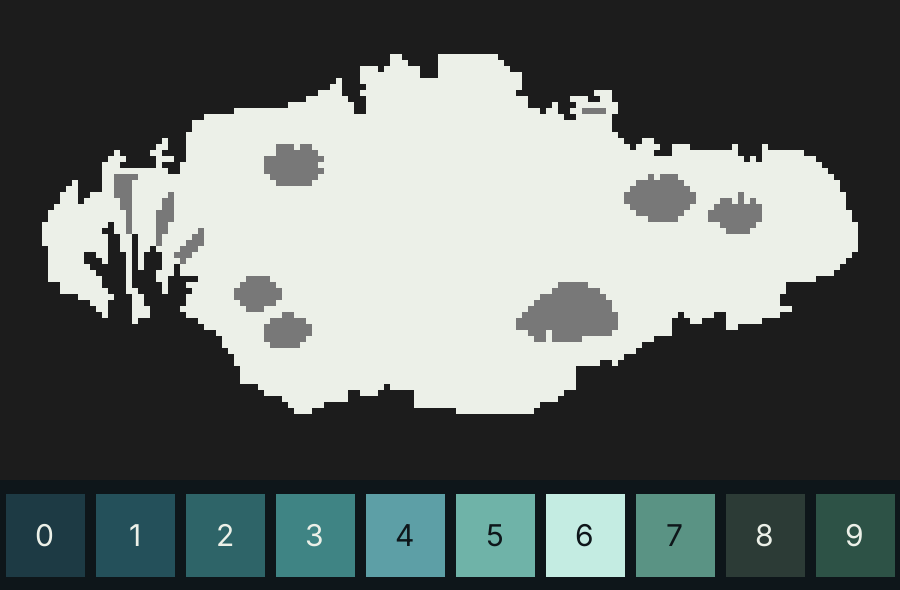
Every layer below picks a color from this list by its number, which I'll call its tone. Nothing gets mixed or blended, so the water stays crisp pixel art however many layers you stack. My first try blended its layers and ended up with 2,682 colors in the water. It looked like mush.
# the palette, dark to light: 0-6 water, 7 shallow water over mud,
# 8 and 9 the bank's mud and grass as seen in the water
RAMP = np.array([[0x1d, 0x3a, 0x44], [0x24, 0x50, 0x5a], [0x2e, 0x64, 0x68],
                 [0x3f, 0x84, 0x84], [0x5d, 0x9f, 0xa6], [0x6f, 0xb3, 0xa8],
                 [0xc4, 0xec, 0xe2], [0x5a, 0x93, 0x84], [0x2c, 0x3b, 0x36],
                 [0x2d, 0x52, 0x46]], float)
LUMA = np.array([0.3, 0.59, 0.11])       # brightness = rgb @ LUMA, 0 to 255
Everything that moves runs on one 5 second loop, so the clip repeats with no jump. Give every motion a whole number of cycles per loop:
LOOP = 5.0   # seconds

def phase(t, cycles):
    # the angle of something that runs `cycles` times per loop.
    # Keep cycles a whole number and the loop has no seam.
    return TAU * cycles * t / LOOP
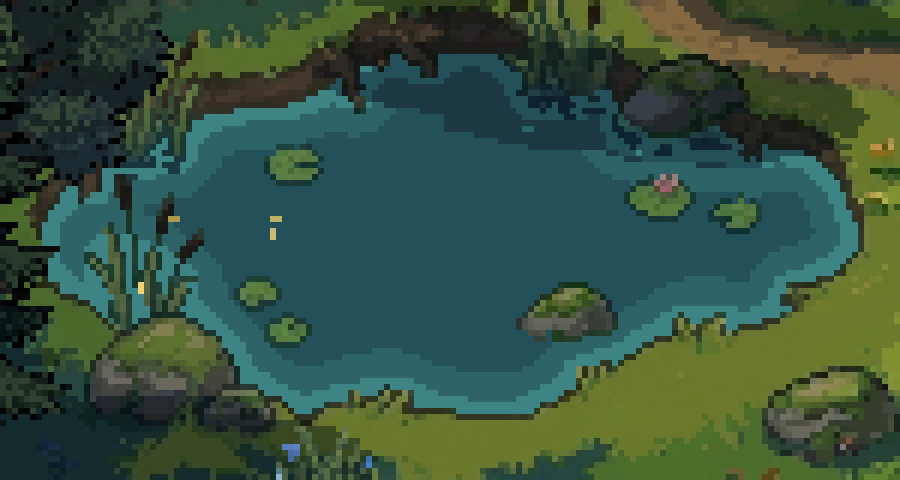
1. Darker in the middle
Water looks deeper away from the shore, so pick each pixel's tone by how far it is from the bank. Blur the mask a little first, so the bands follow the bank's shape and skip every notch in it.
def shore_depth(filled):
    # px from each pixel to the shore. Blur the mask first, so the bands
    # follow the bank's shape and skip every notch in it.
    smooth = ndimage.gaussian_filter(filled.astype(float), 2) > 0.5
    return ndimage.distance_transform_edt(smooth)

def depth_tones(self):
    idx = np.where(self.depth > 7, 1, 2)   # deep middle, base tone further out
    idx[self.depth < 3] = 3                # a lighter rim along every shore
    return idx
The rim is everything closer than 3 px to the shore, and the deep part is everything more than 7 px out. The shoreline post goes deeper into distance fields for water.
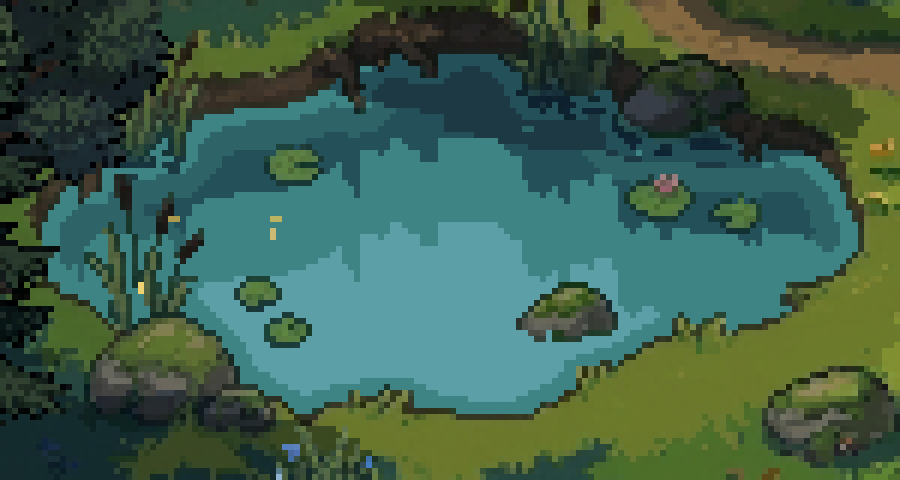
2. Sky light on the near half
Seen from above at an angle, the front of a pond reflects the sky and the back reflects the bank. So the further a pixel is below the far shore, the lighter it gets.
def sky_light(self, idx):
    inner = self.filled & (self.depth >= 3)
    idx[inner & (self.row >= 14)] = 3      # the near half mirrors the sky,
    idx[inner & (self.row >= 28)] = 4      # lighter further from the far bank
    return idx
row is how many rows a pixel sits below the far shore in its column. Tone 3 starts at 14 rows and tone 4 at 28, for a pond about 60 px from back to front. Scale those two with your pond.
3. Tree reflections
Draw every tree and bush behind the pond again, upside down, into the water. Flip each one about the row its base stands on, so the reflection starts where the trunk meets the ground. Since the camera looks down at an angle, squash it to 55% of its height.
def reflect(self, idx, sprite, x0, base_y, t, dark_cut, squash=0.55):
    flipped = sprite[::-1]                 # upside down, foot at the top
    lum = flipped[..., :3] @ LUMA
    r = 0
    while int(r / squash) < len(flipped):
        y, src = base_y + r, int(r / squash)
        # rows wobble by whole pixels: none at the foot, more further out
        amp = 0 if r < 3 else (1 if r < 30 else 2)
        dx = round(amp * math.sin(y * 0.75 - phase(t, 2)))
        xs = np.arange(flipped.shape[1]) + x0 + dx
        ok = (xs >= 0) & (xs < self.W) & (flipped[src, :, 3] > 0)
        if 0 <= y < self.H:
            xs, lr = xs[ok], lum[src, ok]
            # three flat tones: trunks and shade, leaves, light leaves
            tone = np.where(lr < dark_cut, 0, np.where(lr < 110, 1, 2))
            hit = self.water[y, xs]
            # where reflections overlap, the darker one wins
            idx[y, xs[hit]] = np.minimum(idx[y, xs[hit]], tone[hit])
        r += 1
    return idx
- Three flat tones. The reflection keeps only how bright each pixel is. The darkest 15% of the tree pixels (trunks, deep shade) become tone 0, the rest tone 1 up to a brightness of 110, and light leaves tone 2. Where reflections overlap, the darker one wins.
- Whole pixel wobble. Each row slides sideways by a whole pixel on a sine wave. This is old-school line scroll. The first 3 rows stay still so the reflection stays attached, then rows move up to 1 px, and from row 30 on up to 2 px.
- Use the sprite as it's drawn this frame. Then a tree that sways in the wind sways in the water too, for free.
dark_cut is worked out once from all your tree and bush sprites:
def dark_cut(sprites):
    # the brightness below which a reflected pixel is tone 0: the darkest 15%
    # of all tree and bush pixels (trunks, deep shade)
    lum = [(s[..., :3] @ LUMA)[s[..., 3] > 0] for s in sprites]
    return float(np.percentile(np.concatenate(lum), 15))
4. The shore
A pond with a flat edge looks like a sticker on the ground. Four small things fix that.
- Damp ground. Dry pixels that touch the near and side shore drop to 82% brightness. The far bank is left alone, since it's a dark earth face already.
- Shallow water. The water pixel right at the near and side shore gets its own green teal, like water over mud.
- Lapping. Short light dashes run 2 px off the shore, and twice per loop they step out to 3 px and back. Measure from a smoothed shore, or every grass tuft gets its own little dash.
- Contact. A broken light line beside and below anything standing in the water, like rocks and reed stems. Never above it, or it reads as an outline.
def damp_ground(self, img):
    img[self.wet] *= 0.82
    return img

def edges(self, idx, t):
    # 1 px of shallow water over mud
    idx[self.shallow & (idx >= 3)] = 7
    # lapping: dashes and gaps that travel along the shore,
    # 2 px out, stepping to 3 px and back twice per loop
    dash = (np.sin(self.along * 0.55 - phase(t, 2))
            + 0.6 * np.sin(self.along * 0.23 + 1.3 - phase(t, 1))) > 0.55
    ring = 3 if math.sin(phase(t, 2)) > 0.35 else 2
    lap = self.water & (self.lap_dist == ring) & dash & ~self.near_thing
    idx[lap & (idx >= 2)] = 5
    # a broken light line where water touches rocks and reeds
    pulse = np.sin(self.xx * 0.9 + self.yy * 0.4 - phase(t, 2)) > 0.3
    idx[self.contact & pulse & (idx >= 1)] = 5
    return idx
shallow, lap_dist, along and contact are masks built once at load, in setup_edges in pond.py. lap_dist is the distance to the shore after a 5 x 5 closing, which is the smoothing.
5. The back bank
This one took me three tries. The back edge of the pond had nothing going on, and bright lapping there looked like a neon outline. What worked was keeping it quiet. The bank is mirrored in two dark colors, the waterline creeps up and down, and faint dark ripples drift through the shadow.
def bank_mirror(self, idx, t):
    for x in self.far_cols:
        top = int(self.top[x])
        if self.water[top, x]:
            idx[top, x] = 0                 # dark contact line under the bank
        for k in range(1, 7):
            y = top + k
            # rows 1 to 3 solid, then every other row, wobbling 1 px
            if y >= self.H or not self.water[y, x] or (k >= 4 and k % 2):
                continue
            dx = round(math.sin(y * 0.45 - phase(t, 2))) if k >= 4 else 0
            sy, sx = top - k, min(max(x + dx, 0), self.W - 1)
            if sy >= 0 and not self.filled[sy, sx]:
                idx[y, x] = self.bank_tone(self.ground[sy, sx].astype(float))
    return idx
The mirror reaches 6 rows down. Rows 1 to 3 are solid, then rows 4 and 6, each shifted up to 1 px, so it breaks up as it fades out. The faint ripples (bank_ripples) and the creeping waterline (creep) are two more sines in pond.py, both one cycle per loop.
6. Drops, glints, leaves and lily pads
The last layer is the small stuff that moves.
- Ripples are five ring frames, 0.2 s each, from 3 x 1 px up to 9 rows tall. The last two keep only their top and bottom arcs, so the ring breaks up as it fades.
- Glints are 20 short dashes on the light water, at random spots and start times. Each lasts 0.6 s, and about 2 or 3 are lit on average.
- Leaves fall for 1.2 s, land with a ring, float 3 s with a shadow under them, drift 3 px a second, then sink.
- Lily pads bob 1 px, each out of step with the others, with a 1 px shadow under them.
# glint frames over its 0.6 s life: (until, [(dx, tone)]) = 1 px, 3 px, 5 px, split
GLINT = [(0.15, [(0, 6)]),
         (0.30, [(-1, 5), (0, 6), (1, 5)]),
         (0.65, [(-2, 5), (-1, 6), (0, 6), (1, 6), (2, 5)]),
         (0.85, [(-2, 5), (-1, 6), (1, 6), (2, 5)]),
         (1.00, [(-2, 5), (2, 5)])]

def life(self, idx, t):
    def put(x, y, tone):
        if 0 <= y < self.H and 0 <= x < self.W and self.water[y, x]:
            idx[y, x] = tone
    for gx, gy, t0 in self.glints:          # each glint lives 0.6 s
        u = ((t - t0) % LOOP) / 0.6
        for until, pts in GLINT:
            if u < until:
                for dx, tone in pts:
                    put(gx + dx, gy, tone)
                break
    frames = self.ripple_frames()
    for rx, ry, t0 in self.drops:            # ring frames, 0.2 s each
        k = int(((t - t0) % LOOP) / 0.2)
        for dx, dy in (frames[k] if k < len(frames) else []):
            put(rx + dx, ry + dy, 6 if k < 3 else 5)
    for (ys, xs), dy in self.pad_bob(t):     # 1 px shadow under each pad
        sy = ys + dy + 1
        ok = (sy < self.H) & self.water[np.minimum(sy, self.H - 1), xs]
        idx[sy[ok], xs[ok]] = 0
    return idx
The code
The steps above are pieces of one Python file, pond.py, about 330 lines with numpy and scipy. The pictures on this page are made with it. Per frame it runs:
idx = depth_tones()          # 1
idx = sky_light(idx)         # 2
for each tree and bush behind the pond:
    idx = reflect(idx, sprite_this_frame, x, base_y, t, dark_cut)   # 3
idx = edges(idx, t)          # 4
idx = bank_mirror(idx, t), then bank_ripples   # 5
idx = life(idx, t)           # 6
water_pixels = RAMP[idx]     # then pads, leaves and the creeping waterline on top
Tested:
- Every layer gives the same pixels at
tandt + 5 s, and the whole frame at 5 s equals frame 0. - Every pixel the water layers write is one of the 10 palette colors, before leaves and lily pads go on top.
- Depth: tone 1 deeper than 7 px, tone 3 closer than 3 px. Sky: tone 3 from 14 rows below the far shore, tone 4 from 28.
- An 80 px sprite gives a 44 row reflection. The first 3 rows never move, rows 3 to 29 move at most 1 px, later rows up to 2 px. Tones split at
dark_cut(the darkest 15%) and 110. - The lapping line steps out and back twice per loop. Damp ground is 82% as bright and never on the water.
- The bank mirror fills rows 1 to 4 and 6. Rows 1 to 3 never shift, rows 4 and 6 shift 1 px.
- A drop shows 5 ring frames of 0.2 s and is gone after 1 s. Glints are 1, 3 and 5 px, then split, about 2.4 lit at once. A leaf falls 1.2 s, floats 3 s at 3 px a second, sinks 0.6 s. Lily pads sit 0 or 1 px lower over a 1 px shadow.
- With every layer off, the pond is one flat tone.
Other engines
In a game you'd run the same steps in a shader on a water layer.
- Depth and sky are lookups. Bake the distance map and the "rows below the far shore" map into a texture at load, then pick the tone in the fragment shader.
- Reflections are the trees drawn a second time, flipped and squashed, into a render target that only shows inside the water mask. Do the row wobble when you sample that target, rounded to whole pixels, and use the rows below the far shore as the distance for the wobble size. If your engine can't keep the darker of two overlapping reflections, draw the darker tones last. The Pokémon style reflection shader on Godot Shaders is a good start for single sprites.
- Ripples, glints, leaves and pads are small sprites or particles on the same loop. In a game, pick new glint spots every loop so they don't repeat.
Round every offset and snap the final color to the palette, and you can mix shader and sprite layers freely.
Common pitfalls
Blending colors. Layering with alpha gives you hundreds of in-between shades and the water turns to mush. Pick a tone per pixel and turn it into a color once, at the end.
Reflections covering the pond. A full-strength reflection of every tree fills the water with dark shapes. Use three flat tones, squash them, and leave the sky zone to show through.
A seam at the loop point. A sine with 2.3 cycles per loop jumps when the clip restarts. Give every motion a whole number of cycles.
A sticker outline. A light line all around the shore looks like an outline drawn on top. Put the light only where the water would lap, on the near and side shore and beside and below things in the water.
Bright accents at the back. The far bank sits in shadow. Light dashes there read as neon. Keep that edge dark and make it move instead.
Glints on a grid. Glints at regular spots look like dead pixels. Give each one a random spot and a random start time.
Where to next
- 2D water shorelines with a distance field, for sea coasts with foam and waves
- How to make pixel art trees move in the wind, the trees in this scene
- How to keep your game art consistent with AI, for ground, trees and props that match
- Pixelblog 10: Water in Motion by Raymond Schlitter, hand-animated water with sine waves
- Water surface shader for 2D pixel art games by Marcin Klimek, a reflection shader in Love2D
Add this to your game with your coding agent
The prompt has the numbers, pseudo code, pitfalls and checks from this guide, written so your agent can fit it into your own project.
# Add layered pixel art water to the ponds in my game

The water in my 2D pixel art game is a flat tile repeated over the pond, so it looks pasted onto the ground. Build a layered water look for it: darker water in the middle, sky light on the near half, reflections of the trees behind the pond, a shore that laps, a back bank that moves quietly, and drops, glints, floating leaves and bobbing lily pads. The six layers go together as one water system.

Before you write code, look at my project: the engine and language, the game's pixel resolution and camera angle, how the pond is drawn today (a tilemap layer, one sprite, a shader), where trees and bushes are drawn and how they move, and my palette. Fit this into what is there instead of adding a second water system. Keep my water colors if I have a set; ask me before you invent a palette. Ask me which pond to do first if there are several.

## How it works

- Every water pixel gets a tone (a palette index), never a blended color. Layers overwrite tones; convert to colors once at the end.
- Depth and sky pick the base tone from the distance to the shore and the rows below the far shore.
- Reflections: each tree and bush behind the pond, as drawn this frame, flipped about its base row, squashed, cut to 3 dark tones, rows shifted by whole pixels (line scroll).
- Edges, back bank and life add small details on top, all on one loop.

## Numbers that matter

Tested on a pond about 136 x 60 px in a 320 x 180 game, 3/4 top-down view. Scale the sky rows (14 and 28, about 1/4 and 1/2 of the pond's front-to-back height) with your pond. Keep every other size in pixels.

- Tones, dark to light: water 0 #1d3a44, 1 #24505a, 2 #2e6468, 3 #3f8484, 4 #5d9fa6, 5 #6fb3a8, 6 #c4ece2; 7 shallow #5a9384; 8 bank mud #2c3b36; 9 bank grass #2d5246.
- Brightness = 0.3 R + 0.59 G + 0.11 B, on 0 to 255.
- Depth: blur the filled pond mask (holes filled, sigma 2 px), threshold 0.5, Euclidean distance to the nearest pixel outside it (a water pixel next to land is 1). Closer than 3 px tone 3, more than 7 px tone 1, else tone 2.
- Reflections: squash to 55%. Tone 0 below dark_cut (the brightness under which the darkest 15% of all tree and bush pixels fall), tone 1 below 110, else 2. The darker tone wins.
- Damp ground 82% brightness. Mirror of the back bank 6 rows deep (rows 1, 2, 3, 4, 6).
- Ripple: 5 frames of 0.2 s. Ellipse radii (rx, ry) = (1,0), (2,1), (4,2), (6,3), (8,4); draw the ring's edge pixels; frames 4 and 5 keep only pixels with |dy| >= ry / 2. Tone 6 for the first 3 frames, then 5.
- Glints: 20, at random spots and random start times in the sky zone, a horizontal dash for 0.6 s: 1 px until 15% of its life, 3 px until 30%, 5 px until 65%, 4 (center gap) until 85%, then 2 (the ends). Tone 6 in the middle, 5 at the ends. About 2.4 lit at once.
- Leaves: 2 per loop, fall 1.2 s, float 3 s drifting 3 px/s with a 1 px shadow under and a tone 5 pixel behind, sink 0.6 s. A landing leaf and 1 drop per loop make rings.
- Lily pads: 1 px lower while sin(phase(t, 1) + 1.7 k) > 0.4 for pad k, with a tone 0 shadow row under them.
- Loop: 5 s.

## Pseudo code

```
phase(t, cycles) = 2 * pi * cycles * t / LOOP           # cycles: whole numbers only

at load:
    depth = distance_to_shore(blur(filled, 2) > 0.5)
    far_row[x] = first pond row in column x;  row = y - far_row[x];  mid_y = median pond row
    things = filled and not water;  solid = things minus lily pads
    shallow = water pixel touching the shore, y > mid_y, not within 2 px of solid
    lap_dist = distance to the shore after a 5 x 5 closing of the dry area
    along = atan2((y - pond_center_y) * 2.2, x - pond_center_x) * 60
    contact = water touching a solid piece, at or below that piece's middle row
    damp = dry pixels touching the pond with y > mid_y - 6
    back_cols = columns where far_row[x] < mid_y

each frame, t = time in seconds (one-off events use t % LOOP):
    tone = 1 if depth > 7 else 2;  tone = 3 where depth < 3
    where depth >= 3: tone = 3 if row >= 14;  tone = 4 if row >= 28
    for each tree or bush whose base row is above far_row at its center column:
        r = 0
        while floor(r / 0.55) < tree.height:
            src = tree.frame_pixels[tree.height - 1 - floor(r / 0.55)]
            y = tree.base_y + r
            amp = 0 if r < 3 else 1 if r < 30 else 2
            dx = round(amp * sin(y * 0.75 - phase(t, 2)))
            for opaque pixel p in src at x = tree.x0 + p.x + dx, if water:
                tone[y, x] = min(tone[y, x], reflect_tone(brightness(p)))
            r += 1
    tone = 7 where shallow and tone >= 3
    dash = sin(along * 0.55 - phase(t, 2)) + 0.6 * sin(along * 0.23 + 1.3 - phase(t, 1)) > 0.55
    ring = 3 if sin(phase(t, 2)) > 0.35 else 2
    tone = 5 where lap_dist == ring and dash and tone >= 2 and not within 2 px of solid
    tone = 5 where contact and sin(x * 0.9 + y * 0.4 - phase(t, 2)) > 0.3 and tone >= 1
    for x in back_cols:
        tone[far_row[x], x] = 0
        for k in 1, 2, 3, 4, 6:
            y = far_row[x] + k
            dx = round(sin(y * 0.45 - phase(t, 2))) if k >= 4 else 0
            c = ground[far_row[x] - k, x + dx]          # skip if that pixel is pond
            tone[y, x] = 0 if brightness(c) < 36 else 9 if c.g > c.r + 12 else 8
        for k in 2 .. 5:                                 # faint ripples
            y = far_row[x] + k
            w = sin(x * 0.6 - phase(t, 1) + k * 1.7) + 0.6 * sin(x * 0.23 + k - phase(t, 1))
            if w > 0.95 and tone[y, x] in (0, 8, 9): tone[y, x] = 0 if tone[y, x] == 9 else 1
    draw ripples, glints, pad shadows into tone (timings above)
    color = PALETTE[tone] on water pixels; ground * 0.82 on damp pixels
    draw lily pads, leaves; creep: for x in back_cols, if
        sin(x * 0.35 - phase(t, 1)) + 0.5 * sin(x * 0.13 + 1 - phase(t, 1)) > 0.6,
        paint tone 0 at (far_row[x] - 1, x)
```

Godot: do the tone work in a `canvas_item` shader with baked depth and row textures, and draw reflections into a SubViewport masked to the water. Unity: a URP 2D material and a RenderTexture the same way. A custom engine can run this on the CPU at low resolution. In a shader, use rows below the far shore as r, and if you can't keep the darker of two reflections, draw darker tones last.

## Pitfalls

- Alpha blending gives hundreds of shades and muddy water.
- Full-strength reflections fill the pond with dark shapes.
- A fractional number of cycles per loop jumps at the loop point.
- A light line all around the shore reads as an outline; light pixels on the far bank read as neon.
- Glints on regular spots look like dead pixels; in a game, pick new spots each loop. Round every offset.

## Check that it works

- Every pixel the water layers write is a palette color (count colors in the water before leaves and pads).
- The frame at t and at t + LOOP is identical (pass raw t, not t % LOOP, or this always passes).
- An 80 px tall tree gives a 44 row reflection; its first 3 rows never move; no row moves more than 2 px.
- With every layer off, the pond is one flat tone (tone 2).
- A drop ring shows 5 frames over 1 s and is gone; a leaf floats 3 s and sinks.

## Art it needs

A pond painted into the ground (banks, reeds, rocks, and lily pads as holes in the water mask) and trees around it. Use the project's own art first. If the SpriteCook MCP tools are available in this session, edit an existing ground image to add a pond with them, keeping the pixel size and palette.

Source: SpriteCook (2D game assets made by your coding agent, for Claude, ChatGPT and Cursor)
Full guide with step by step pictures, clips and the tested Python file: https://www.spritecook.ai/blog/pixel-art-pond-water-reflections-ripples
More game techniques
All techniques
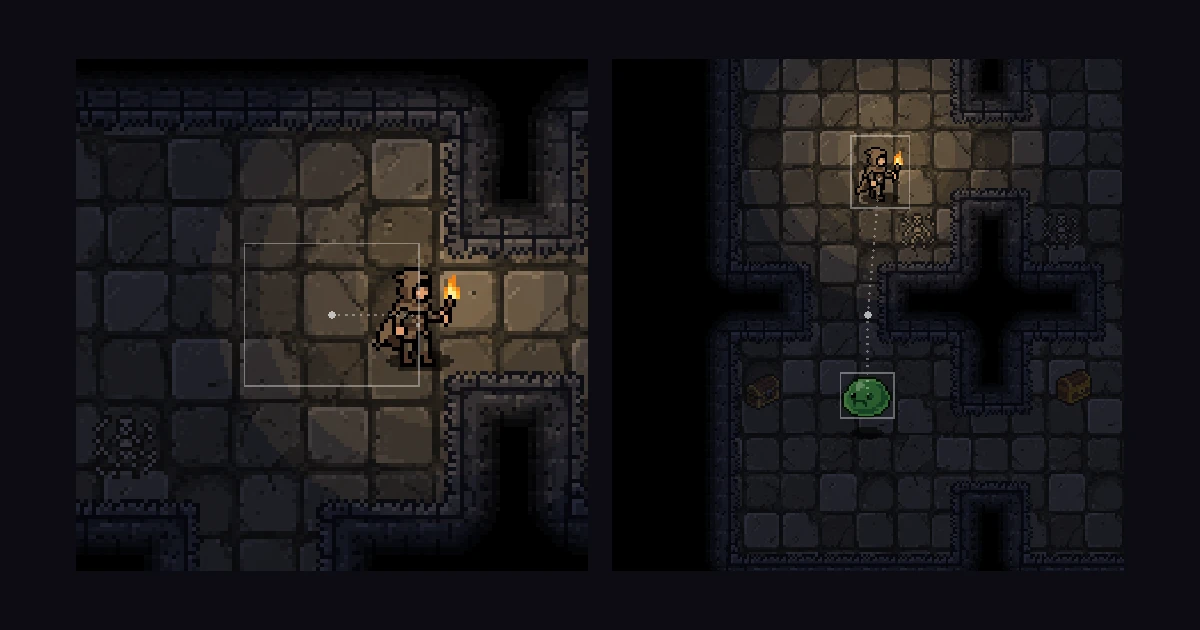 Eight 2D camera follow techniques, from dead zone to look-aheadA camera that sits on the player works, but it doesn't help them. Eight ways a 2D camera can follow, from smoothing and a dead zone to look-ahead, points of interest and framing two targets, with the numbers, tested Godot code and the Cinemachine setup for Unity.
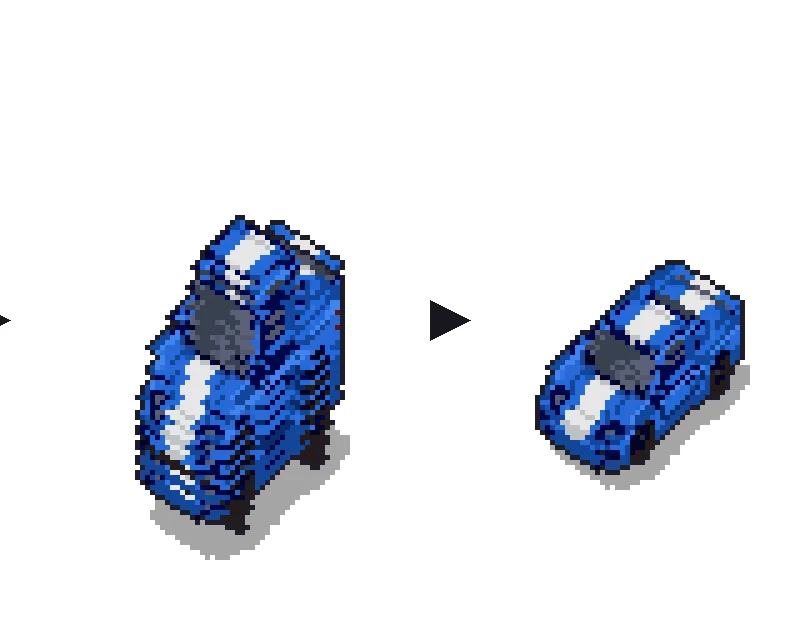
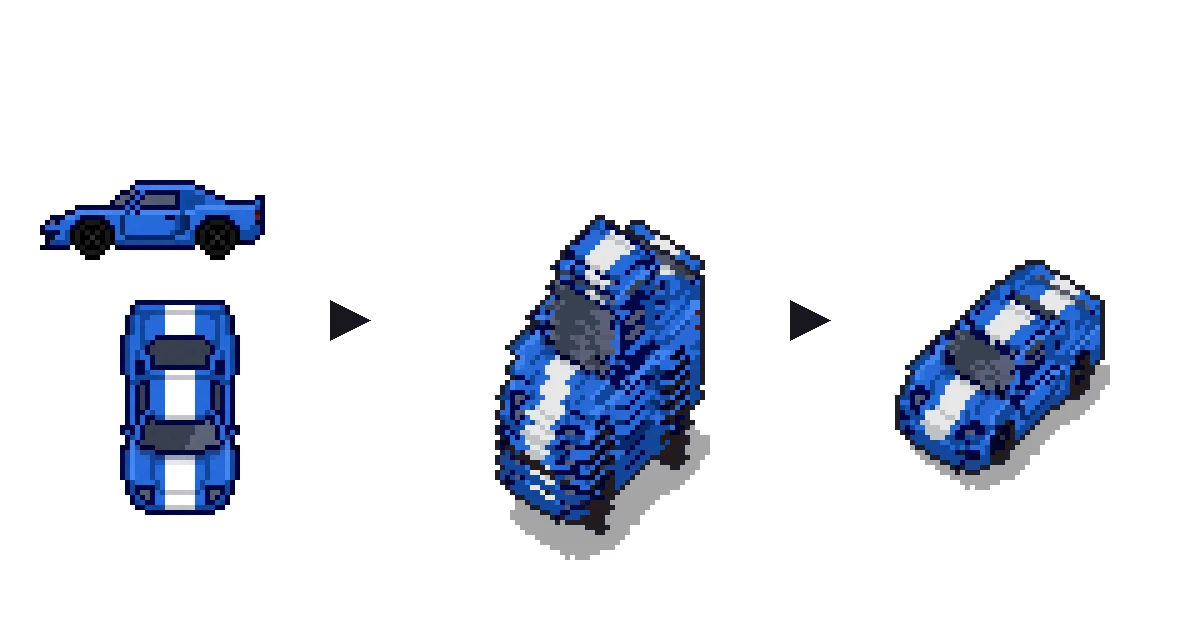 Sprite stacking for fake 3D pixel art cars and propsTurn a top-down car to any angle from one small sheet of flat slices. How sprite stacking works, how to cut the slices from four flat views, and tested Python and Godot code.
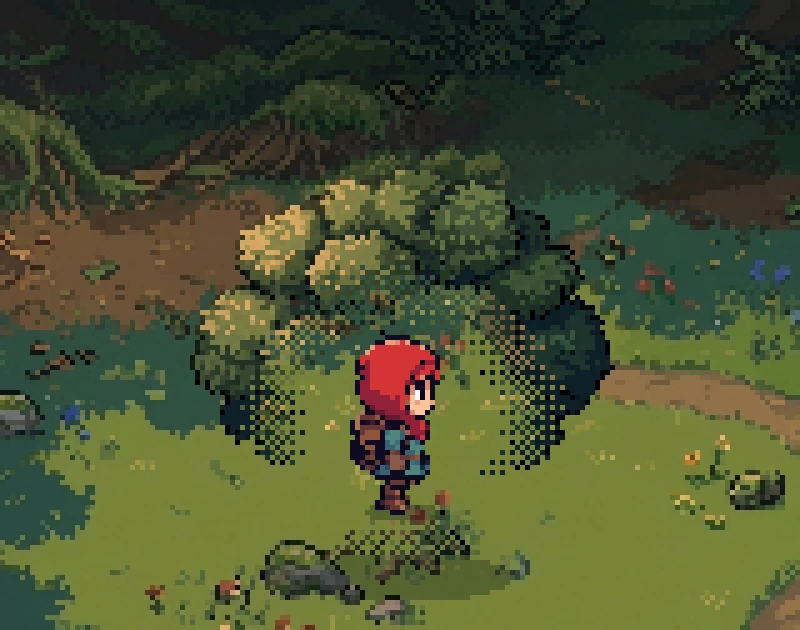
 4 ways to keep the player visible behind trees and walls in a 2D gameFade, dither, cutout and silhouette, the four standard ways to show a character who walks behind a tree or a wall. What each one does to pixel art, when to switch it on, the numbers, a tested Godot script with its shader, and the pitfalls.