How to Fix and Recolor Pixel Art With an AI Agent
Fix broken outlines, recolor sprites, retexture tilesets and clean up animations by describing the change. Every pixel you didn't ask about stays put.

Edit with Agent is a pixel editor you talk to. You describe a change in plain words, and an AI model called GPT-6 Astra makes it by editing your sprite's pixels directly.
How it works
Image models like Nano Banana or GPT Image make a new picture every time you ask for something. Ask one for a small fix and it redraws the whole sprite. The outline shifts, the palette drifts, and the frame you were happy with is gone.
Astra is not an image generation model. It reads your sprite, writes code that changes only the pixels your request is about, and checks the result against the original before you get it back. Everything you didn't ask about stays exactly as it was, down to the last pixel.
That makes it the tool for fixing and polishing art you already like. Cleaning up outlines, recoloring, retexturing tiles, tweaking animation frames.
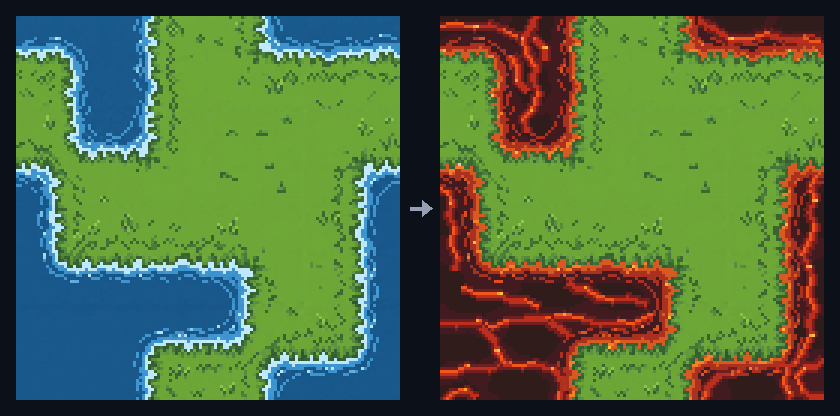
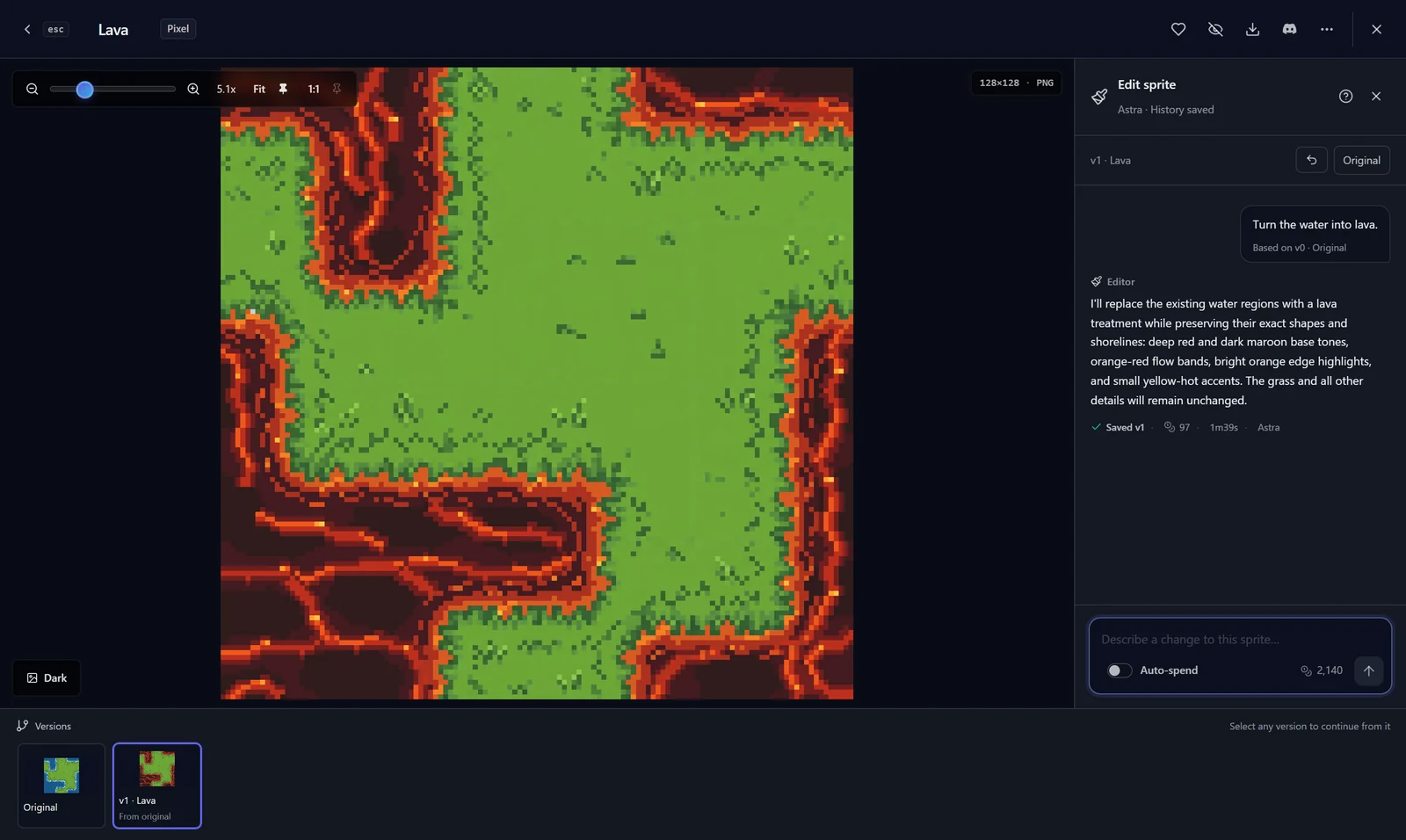
This one was "Turn the water into lava." on a 128px tileset. 97 credits, about a minute and a half, and none of the grass pixels changed.
Open it from any sprite
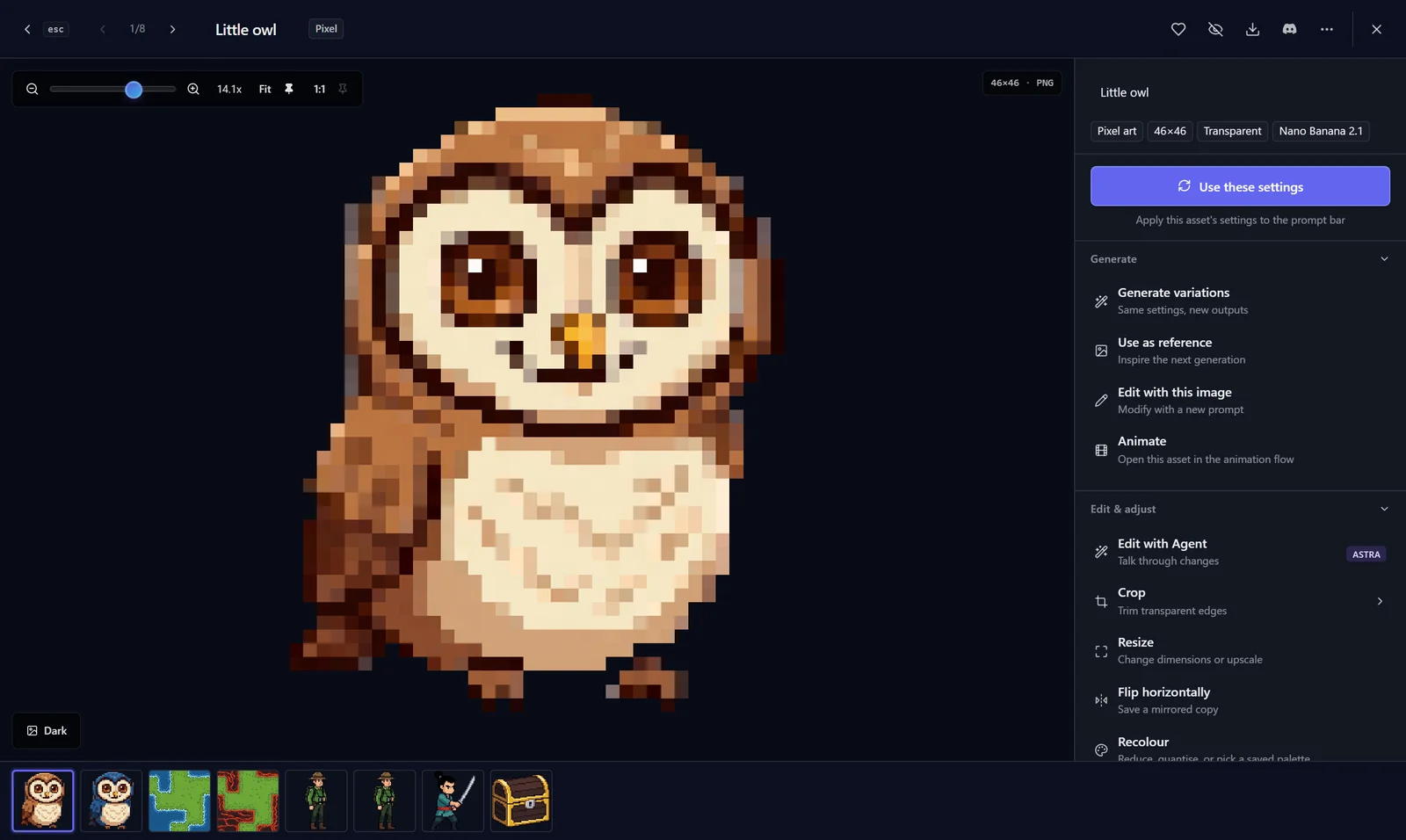
Open a pixel art sprite in the fullscreen viewer and pick Edit with Agent under Edit & adjust.
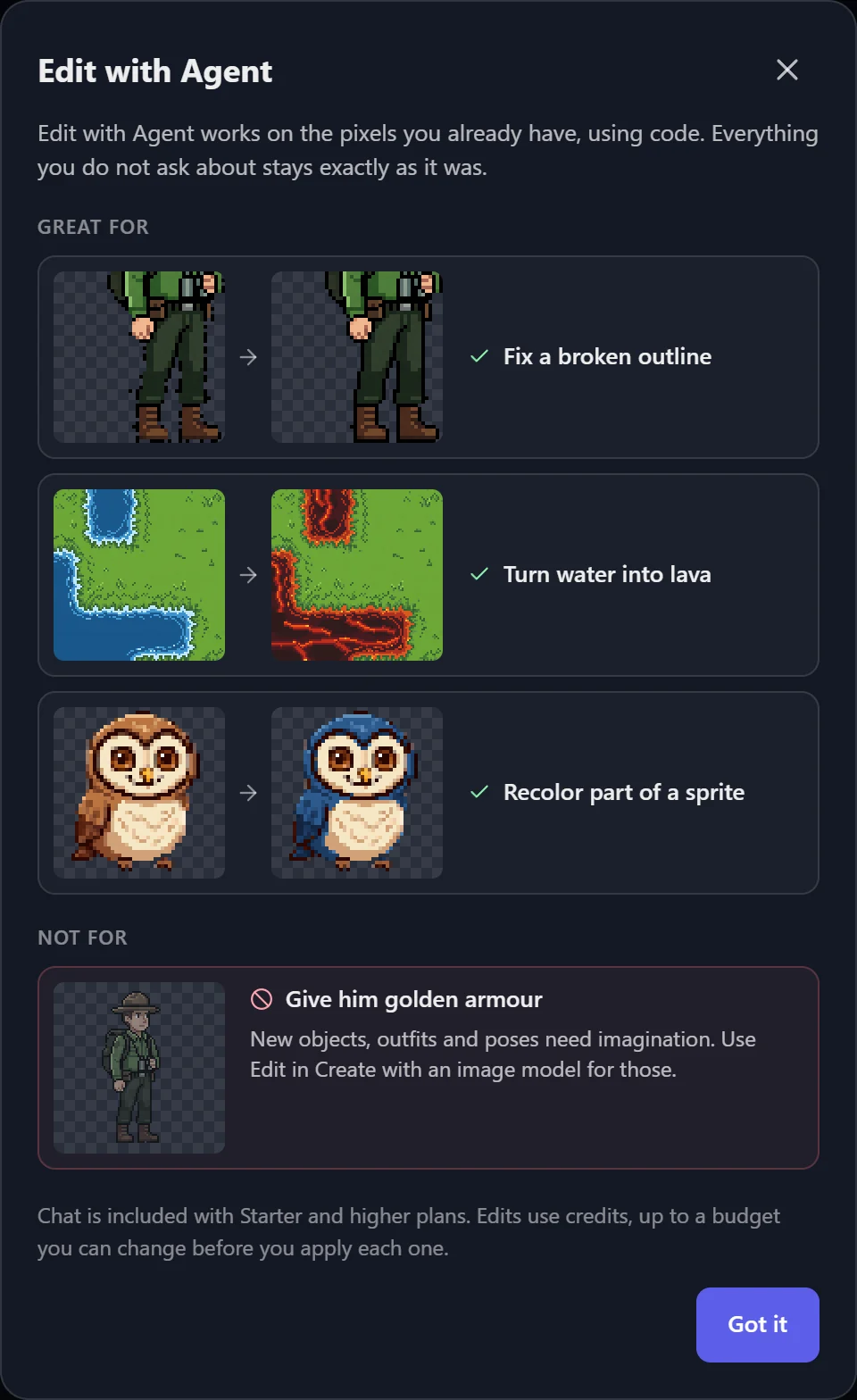
The first time you open it, it shows what it's good at and what it isn't.
Describe the change, check the plan
Type what you want in plain words. Before anything gets drawn, the agent writes back what it's going to change and what it'll leave alone. If that's not what you meant, say so and it'll adjust the plan. Talking it through doesn't cost credits.
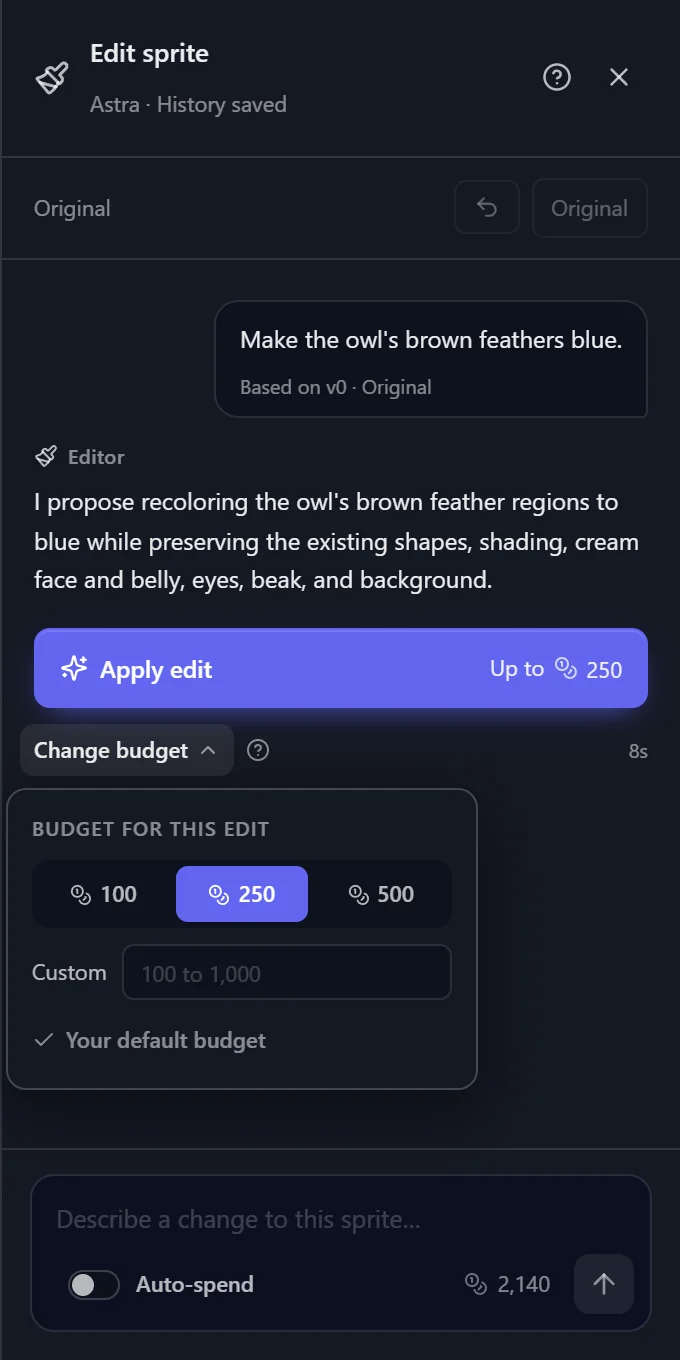
When the plan looks right, hit Apply edit. Each edit costs credits based on how much work the agent does, and the button shows the most it can cost. That cap is your budget. It's 250 by default, and under Change budget you can pick 100, 500 or your own number. Whatever the edit doesn't use goes back to your balance.
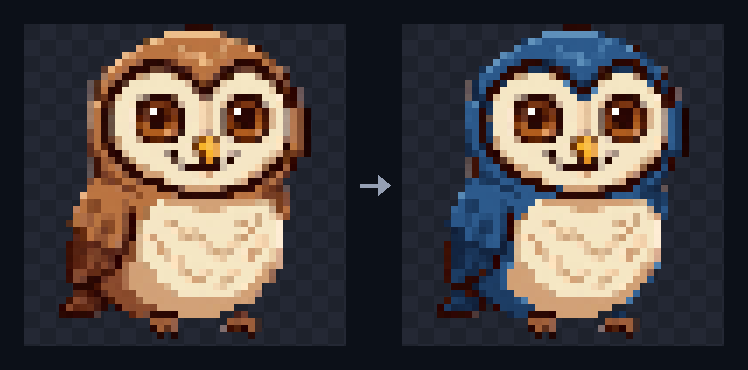
Here's how that owl came out. 94 credits.
Watch it work, or stop it
While it draws, you can see the credits used so far. You can close the viewer and come back later, the edit keeps running.
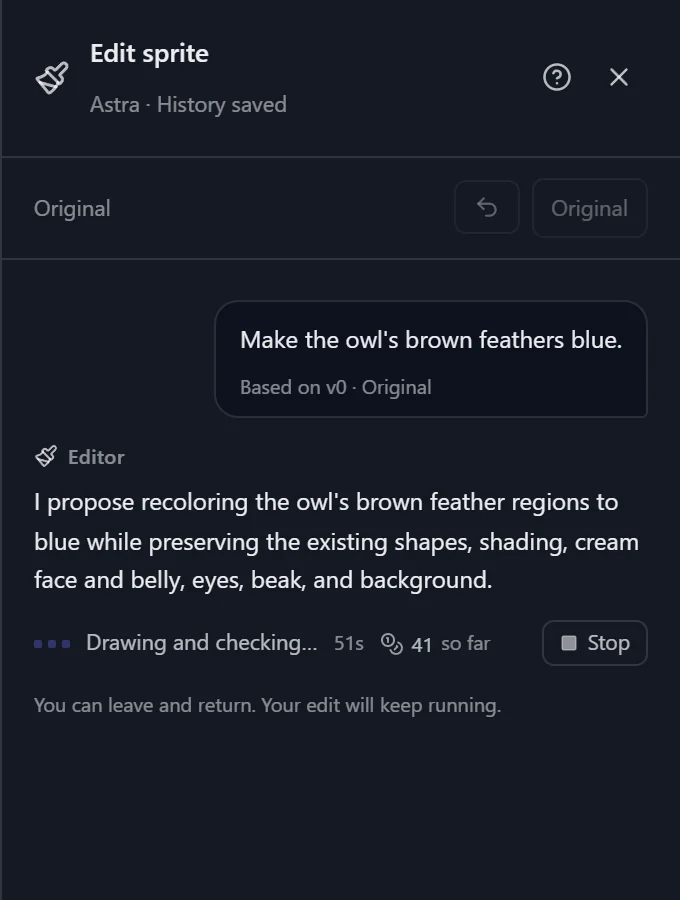
Changed your mind? Hit Stop. You pay for what it used up to that point, and if it already had a drawing that passed its checks, you keep that as a draft.
Every result is saved as a new version. Pick any version in the strip at the bottom to compare or keep editing from it, and the original is always one click away.
What it's good at
Anything that can be worked out from the pixels that are already there. A few things I ran through it:
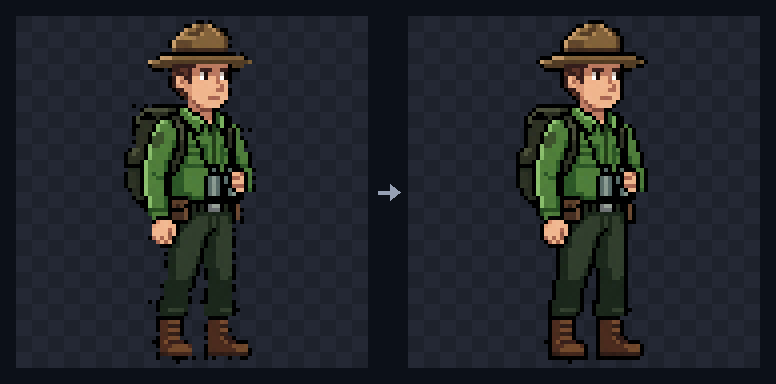
Broken outlines and stray pixels. This ranger had gaps in his outline and a few stray pixels around him. "Close the gaps in the outline and remove stray pixels" fixed most of it for 149 credits. It doesn't always catch every last stray pixel, so check small edits at 1:1 before you ship them.

Animations. It edits every frame of an animation in one go, up to 24 frames. "Make the duck blue in every frame" cost 150 credits and kept the beak, feet and eye the same in all 8.
It can also fix how a loop plays. If your loop stutters because the last frame repeats the first, ask it to drop the last frame and it'll remove it without touching the others.
Canvas size. Crop to an exact size, pad with transparent space, or scale up by a whole number like 2x. Pixels stay hard-edged.
Tilesets work too. Edit one at the same size and it stays a tileset, with its tile size and layout kept. If you need a tileset in the first place, the top-down tileset guide covers that.
What it won't do
New stuff. Armor, a hat, a sword, a new pose, a different angle. Those need imagination, and an agent that only works with existing pixels can't draw them well. When you ask, it tells you so and offers the part it can do, and the question doesn't cost anything.
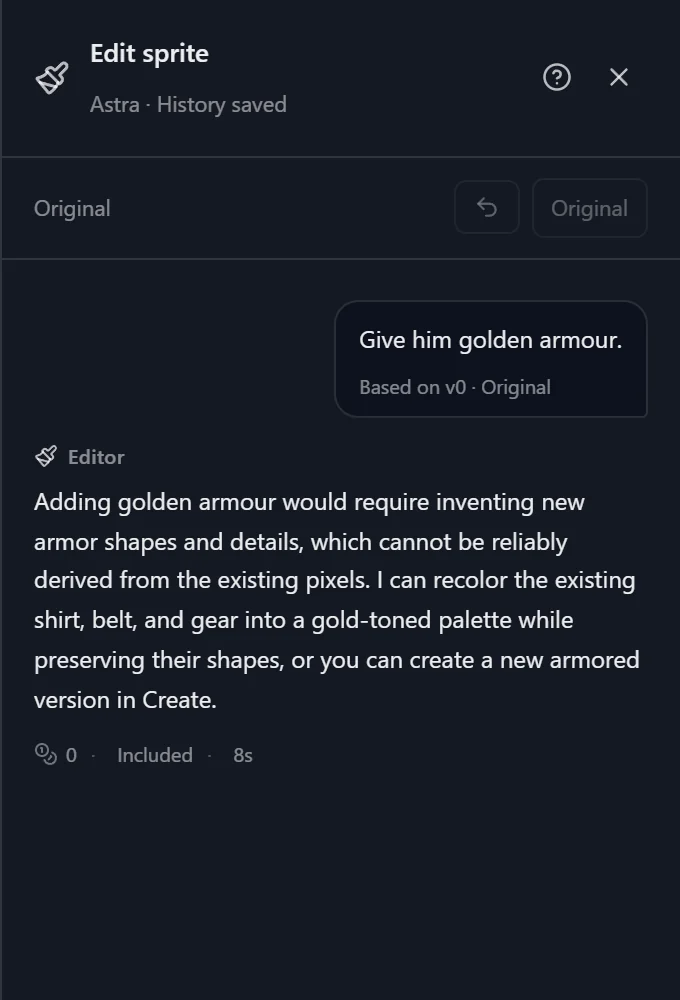
For those, use Edit with this image in the same viewer. That sends your sprite to an image model with a prompt. If you then want the result back on your exact palette or outline, that's a job for Edit with Agent again.
Good to know
- Edit with Agent is part of the Starter plan and up. See pricing.
- It works on pixel art. Stills can be up to 256px on a side.
- Most edits I ran landed between 50 and 235 credits and took anywhere from under a minute to about four minutes.
- One clear change per message works best. "Make the cape red" beats "make the cape red, fix his boots and add a shadow".
Try it
Open any pixel sprite in My Assets and pick Edit with Agent. Not sure what to ask? The in-app assistant can point you to the right tool. And if it makes something weird, I'd like to see it in the SpriteCook Discord.